
EMS v4 Adoption
Document Purpose
Section titled “Document Purpose”This document has been designed to provide information about the EMS v4 adoption process.
Prerequisites
Section titled “Prerequisites”- Business and process owner’s approvals are required for adopting EMS v4. You need to get in touch with lonny_toso@trimble.com and vikrant_gilhotra@trimble.com for the same.
- You have to create applications in the Trimble cloud console and then subscribe to EMS v4 APIs.
- The customer accounts should be in CDH and users should have a valid TID.
- SKUs have to be created in EMS v4.
- Ensure that the application you adopt is configured with the right set of permissions and access levels.
Creating an Application via Trimble Cloud Console
Section titled “Creating an Application via Trimble Cloud Console”To start using Trimble’s Entitlement Management System, you need to create an application via Trimble Cloud Console. You can perform the following steps to create an application:
-
Log in to the Trimble Cloud Console.
-
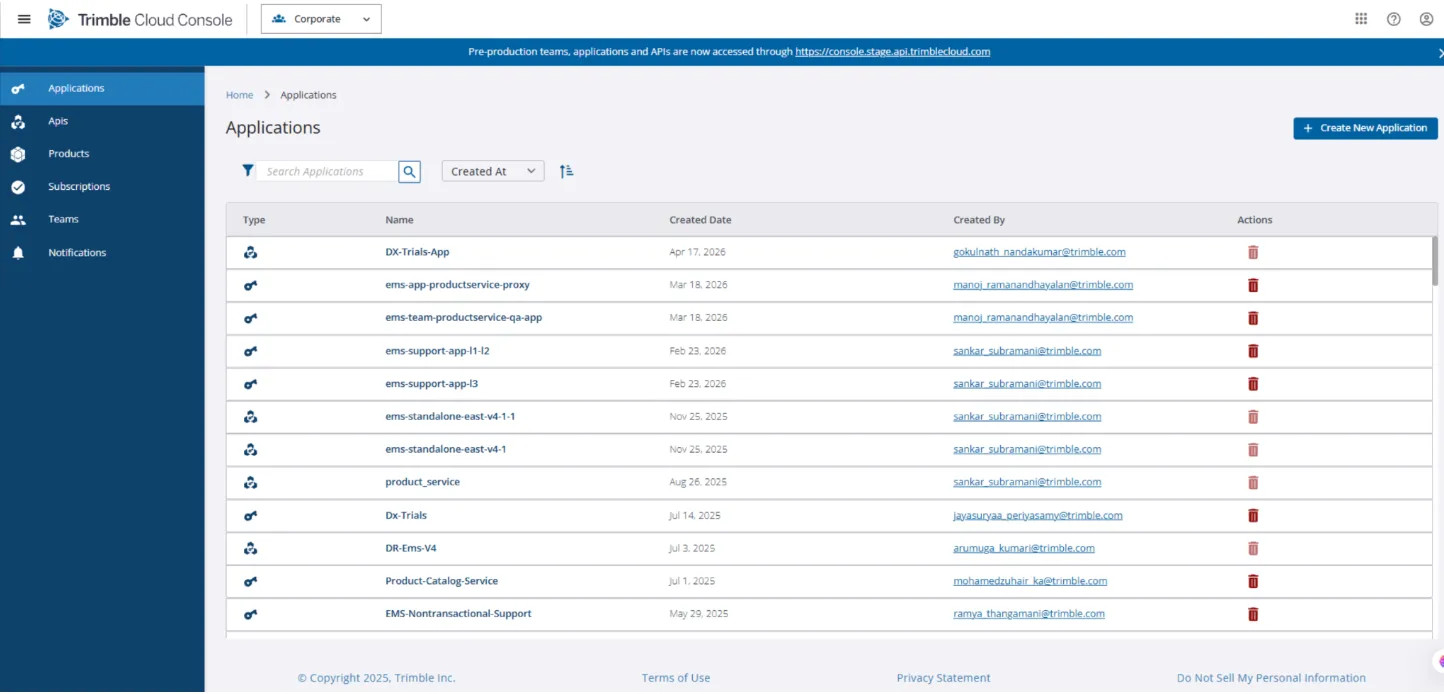
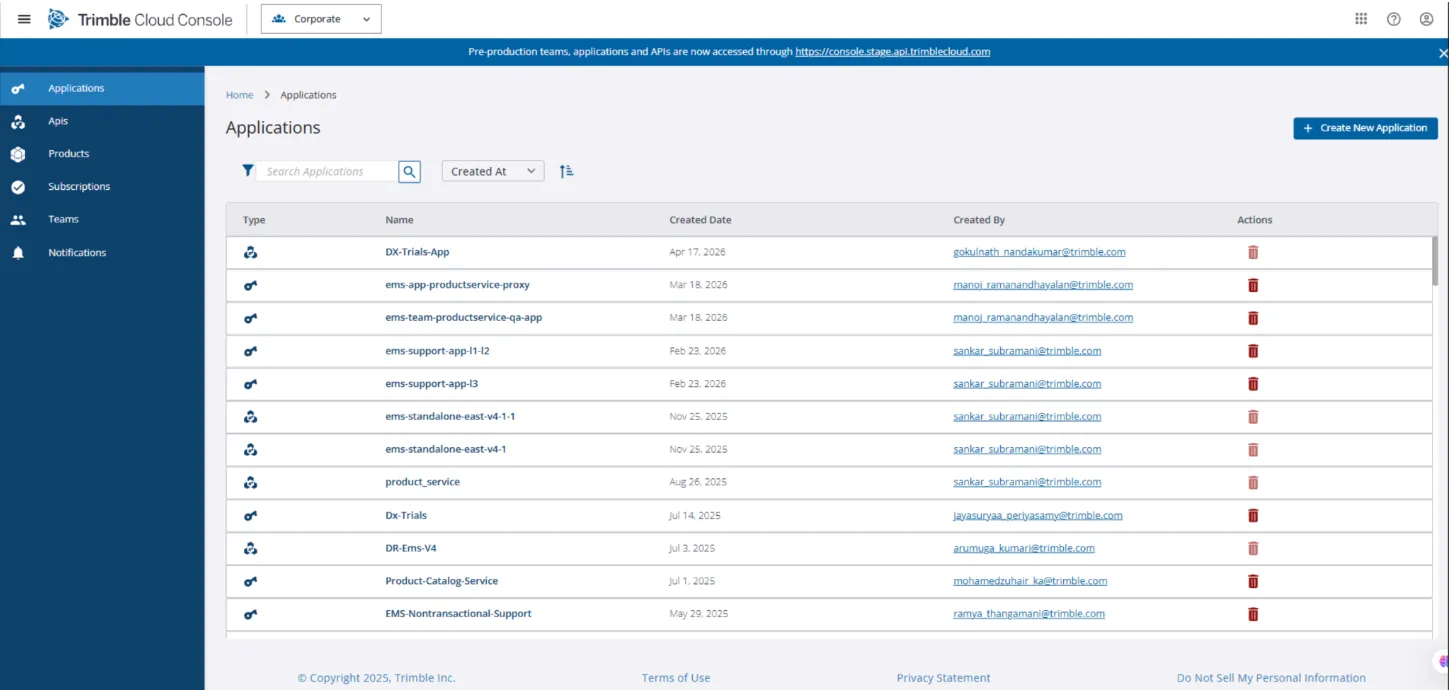
Click Applications in the left pane. The Applications screen is displayed.
-
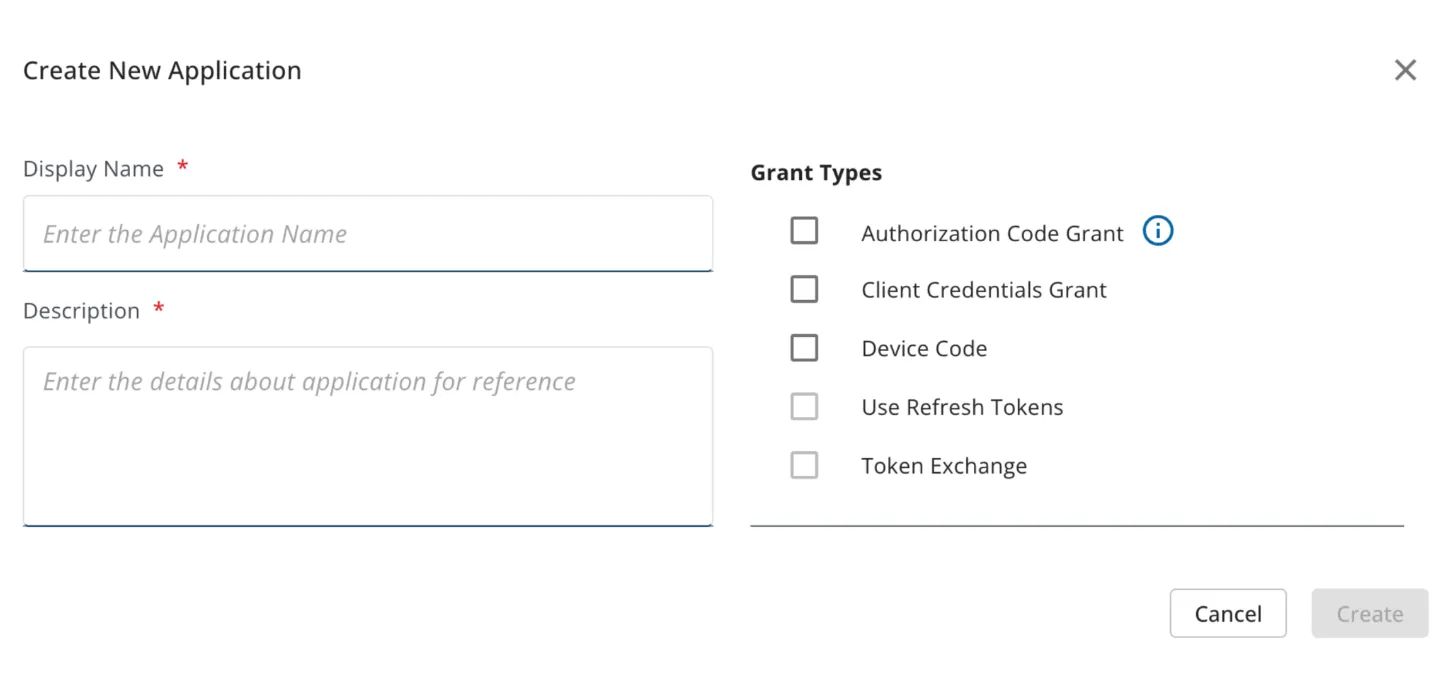
Click Create New Application. The Create New Application pop-up window is displayed.
-
Enter the required information in the respective fields and click Create. The newly created application will be displayed in the grid.
Logging Into the Trimble Cloud Console for the First Time
Section titled “Logging Into the Trimble Cloud Console for the First Time”If you are logging into the Trimble Cloud Console for the first time, perform the following steps:
-
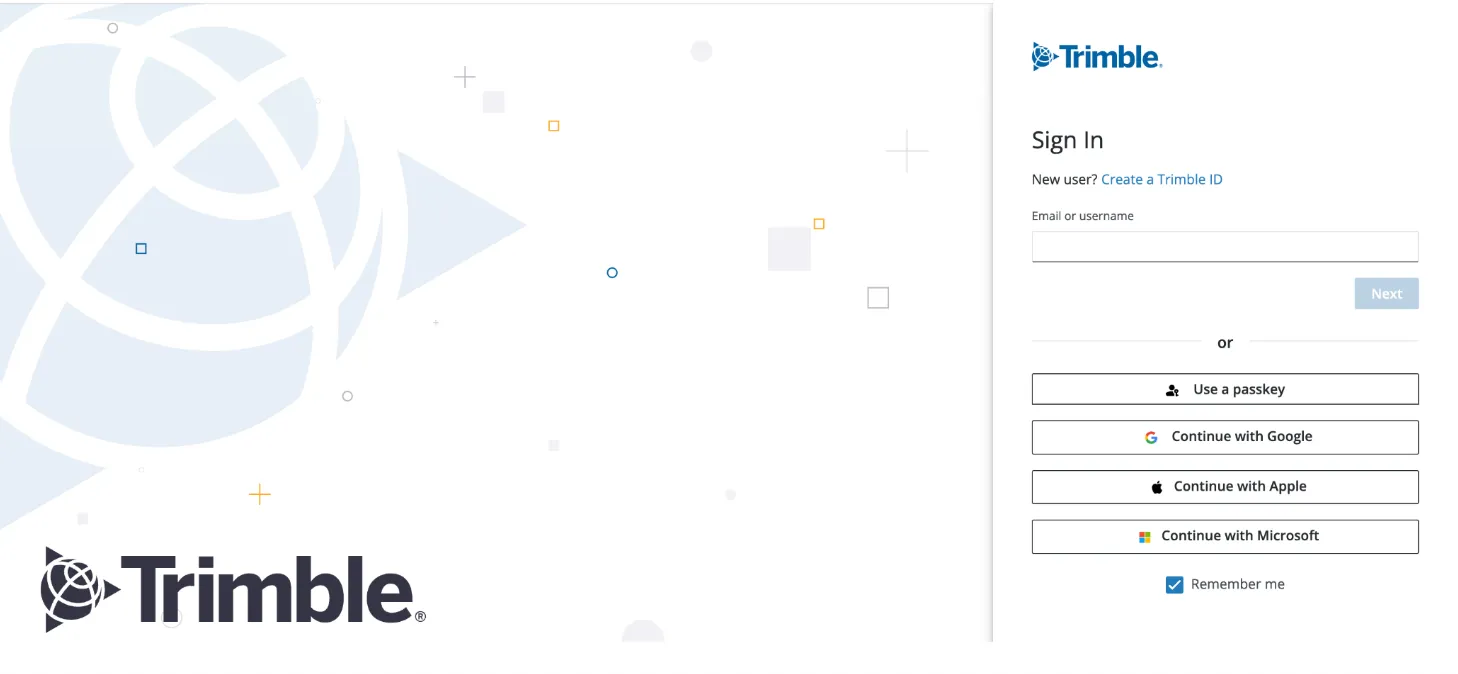
Navigate to the Trimble Sign In screen.
-
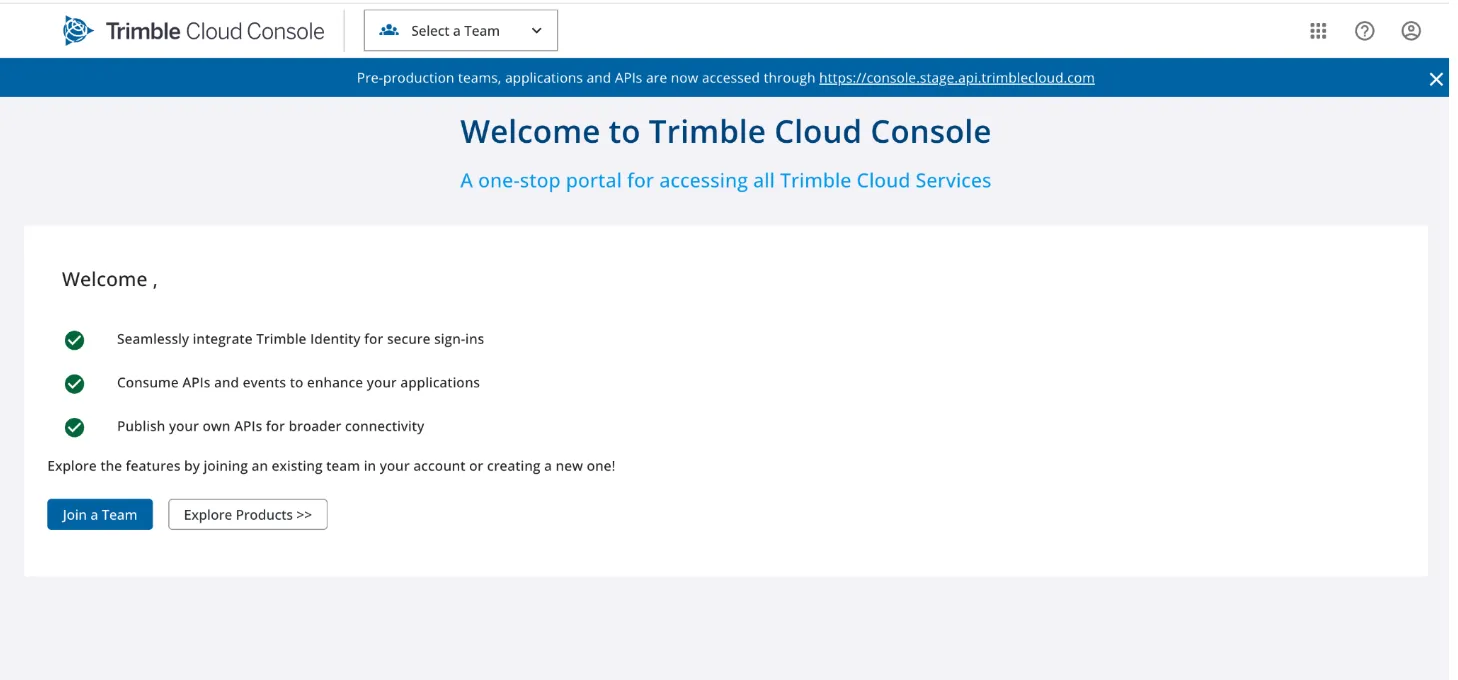
Enter your email address and click Next. The Welcome to Trimble Cloud Console screen is displayed.
Subscribing to EMS v4 APIs
Section titled “Subscribing to EMS v4 APIs”After successfully creating an application, you can perform the following steps to subscribe to EMS v4 APIs:
-
In the Applications screen, search for and click the application for which you wish to subscribe.
 >**Note:** EMS as an ecosystem supports lot of API products and the list is given in the following table:
API Products UI Portals • EMS v3 (entitlements)
• EMS v4 (Entitlement-v4)
• EMS Transition Layer v3
• EMS Transition Layer v4
• Product Catalog Service (PCS)
• DX-Trials v1.0
• EMS Data Migration Pipeline• Support UI
• Support UI Middleware
• PCS UI -
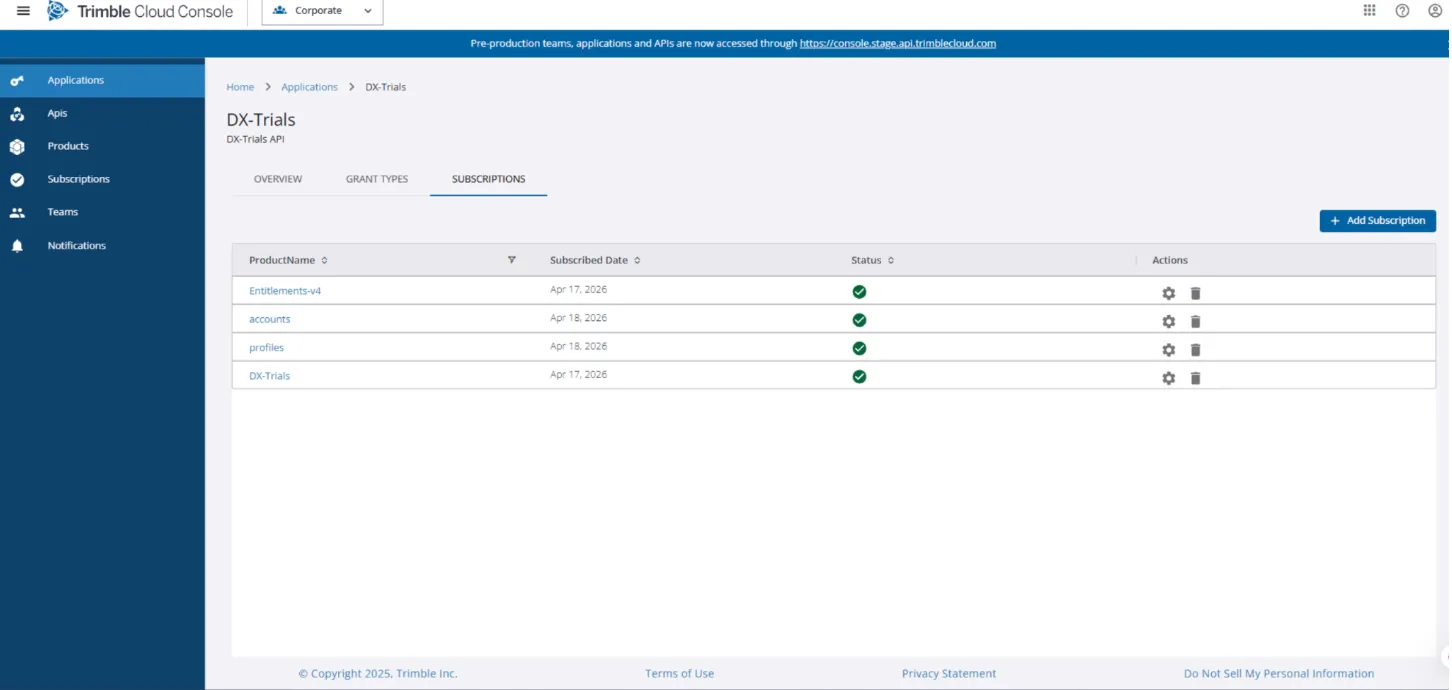
Navigate to the SUBSCRIPTIONS tab of the Applications screen.
-
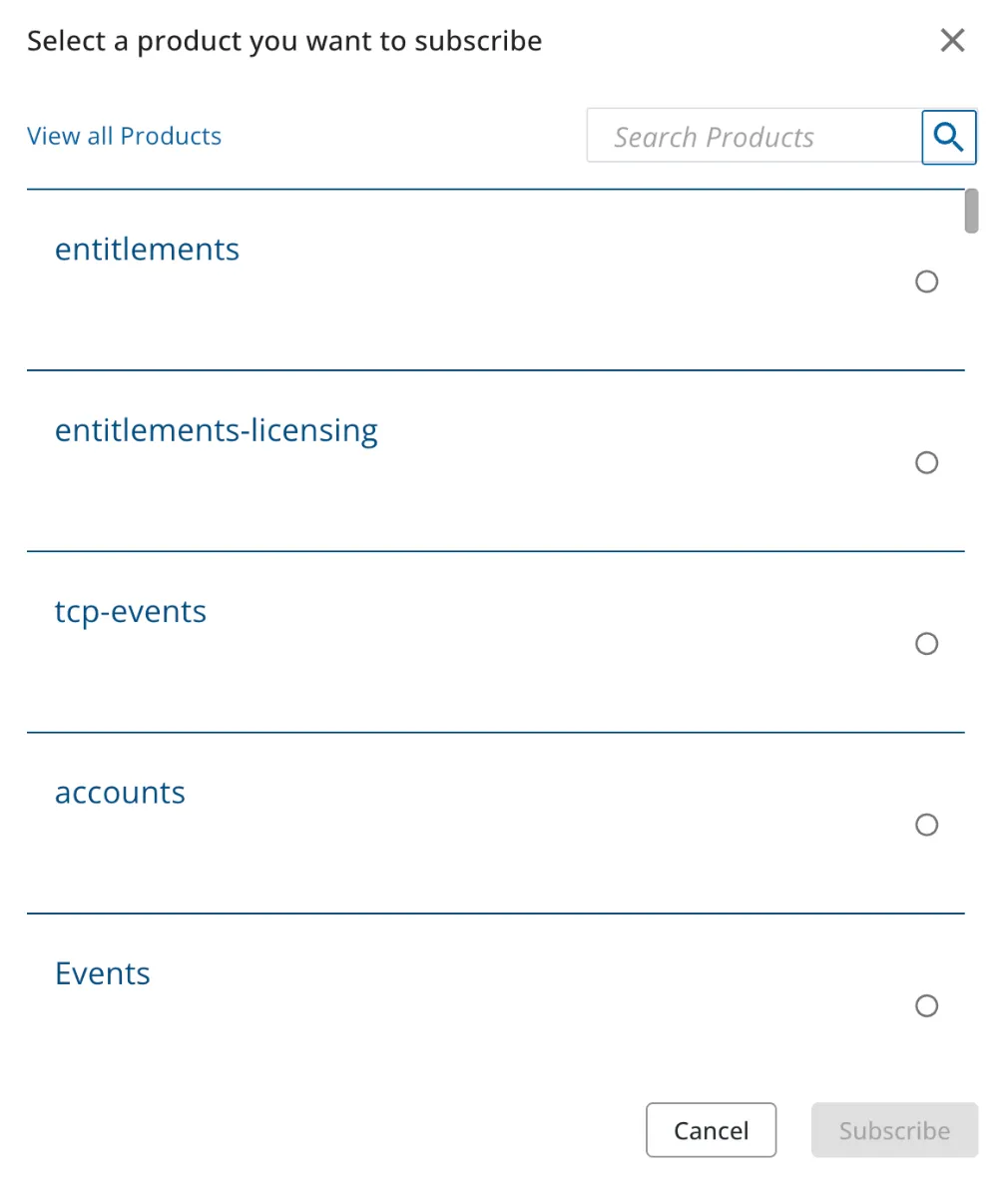
Click Add Subscription. A pop-up window containing a list of products is displayed.
-
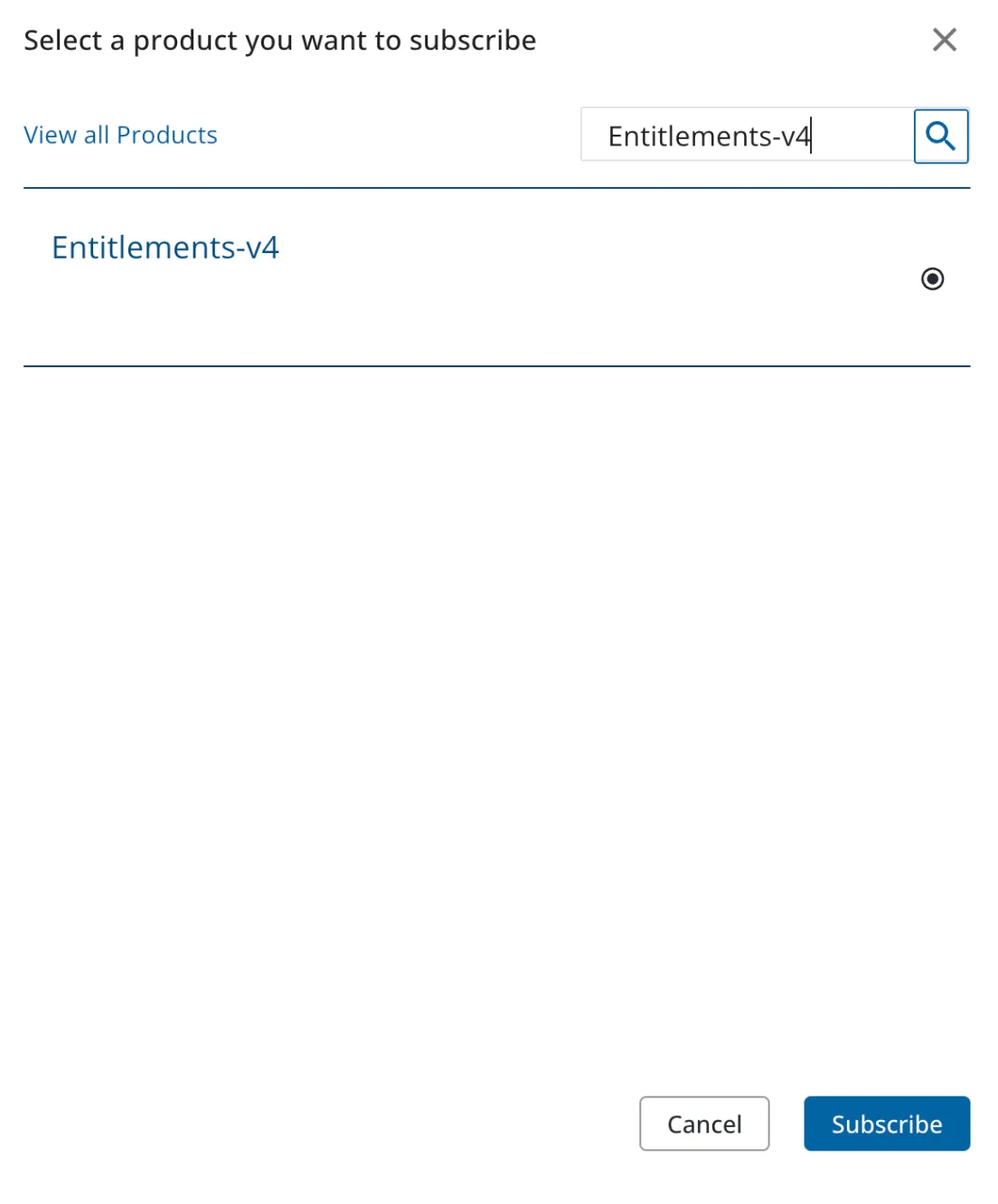
You can search for Entitlements-v4 from the list of products and click Subscribe to complete the product subscription process.
Note:
Creation of Trimble ID
Section titled “Creation of Trimble ID”A user must have a Trimble ID to log in to the Trimble Cloud Console. If you do not have a Trimble ID, create one using the Trimble Sign In screen.
-
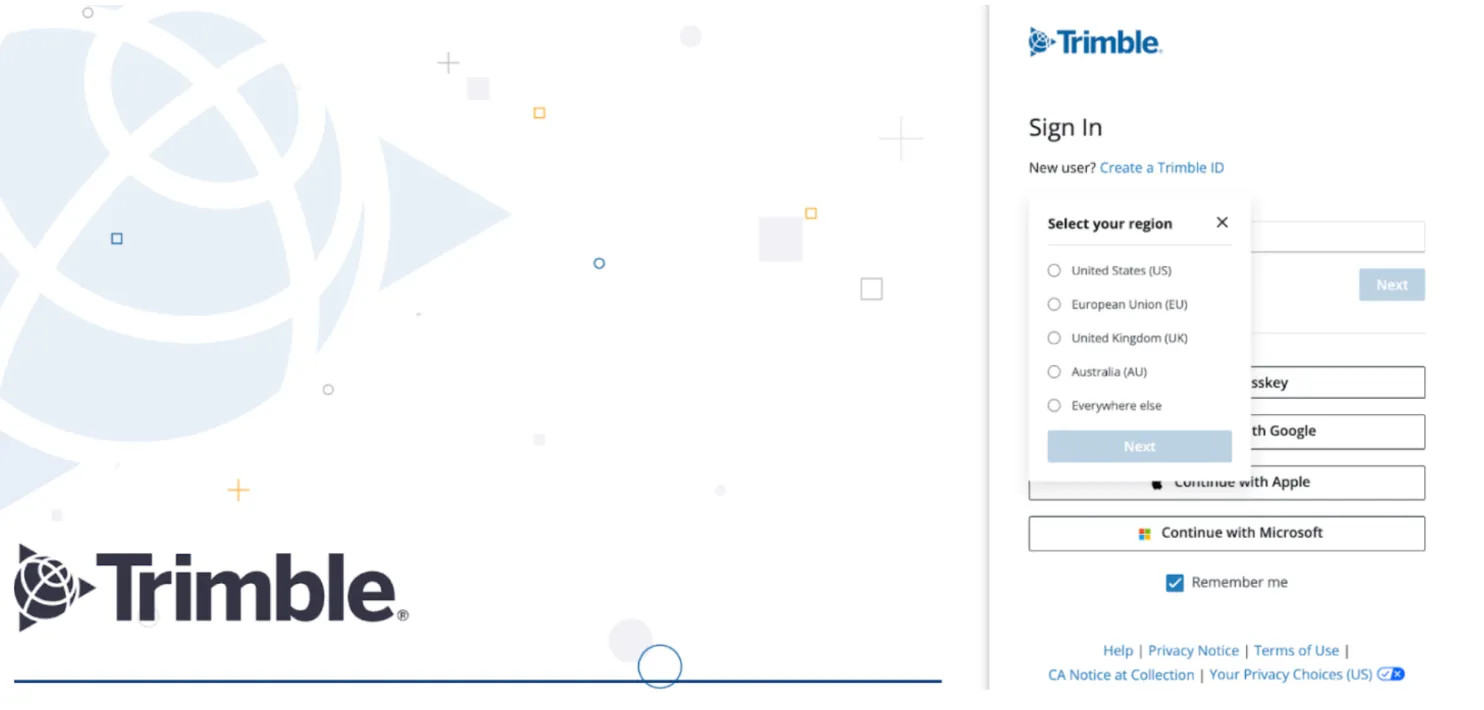
Click Create a Trimble ID. The Select your region drop-down is displayed
-
Select your region and click Next.
-
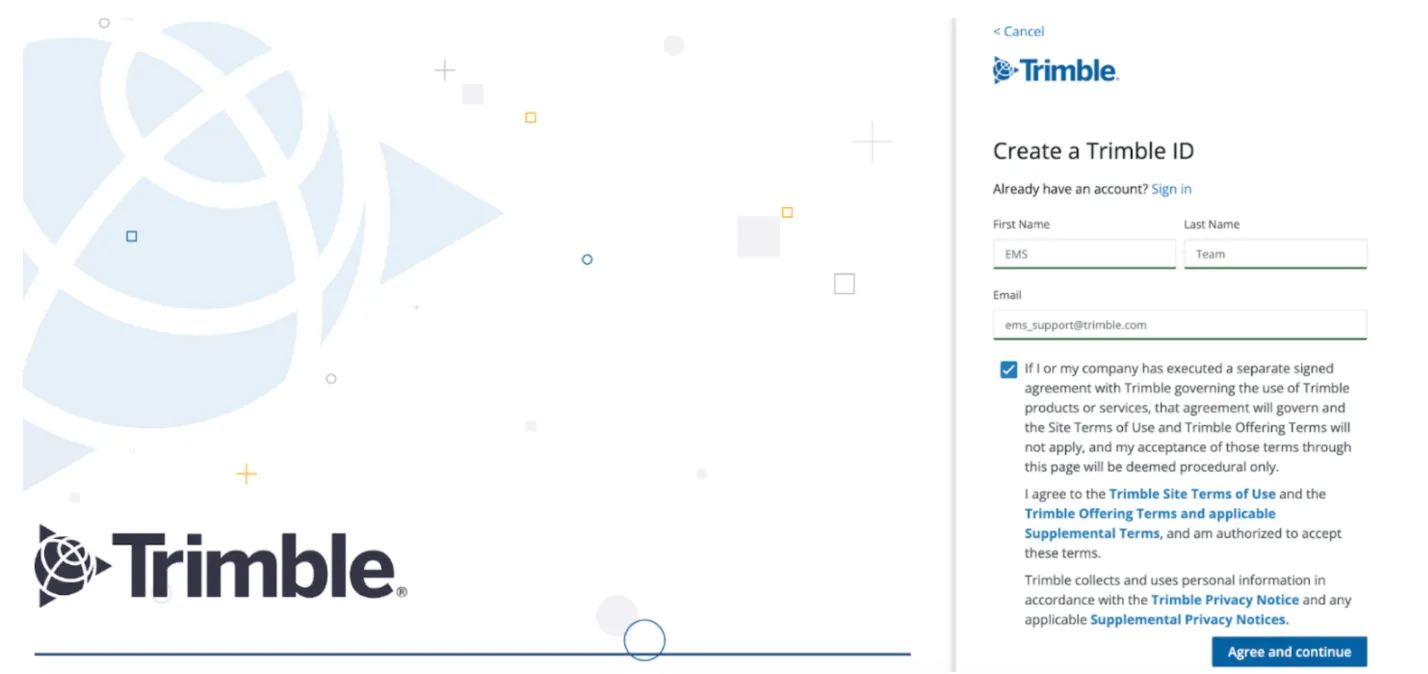
Enter your first name in the First Name field.
-
Enter your last name in the Last Name field.
-
Enter your email address in the Email field.
-
Select the required checkbox in the Create a Trimble ID screen.
-
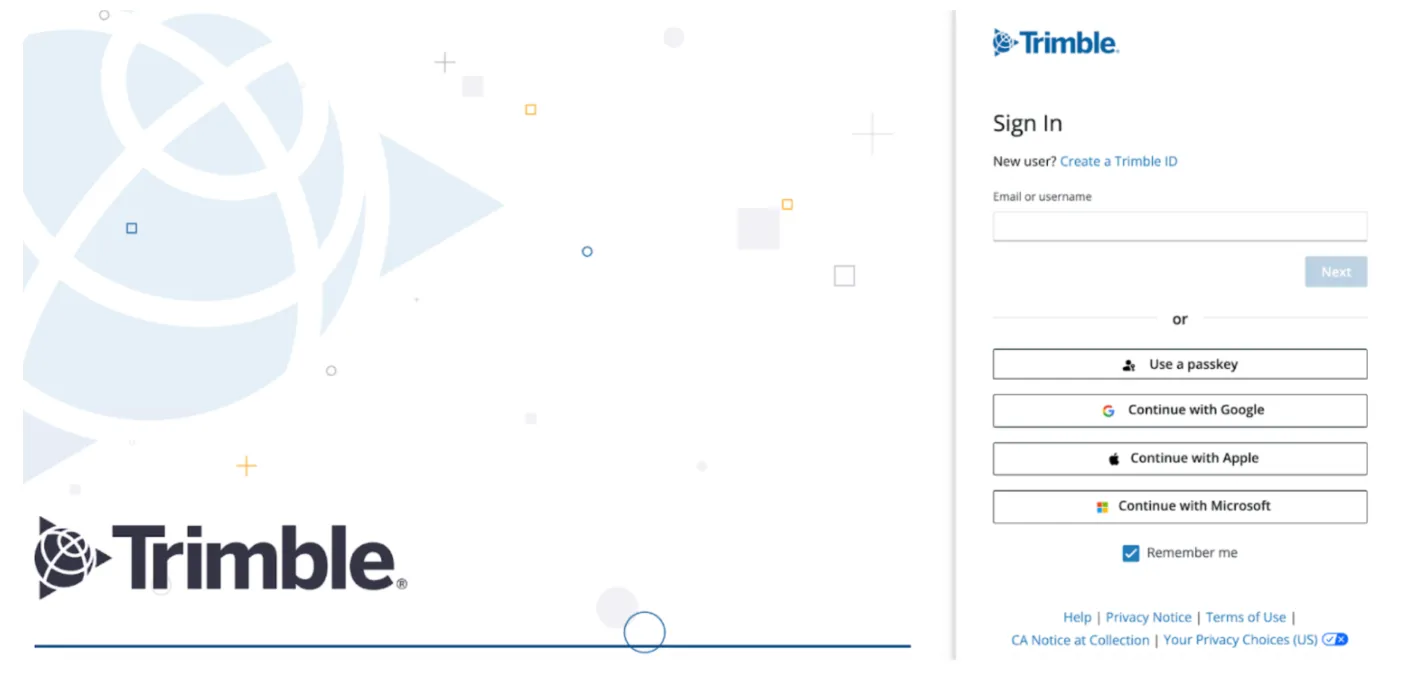
Click Agree and continue. The Sign In screen is displayed.
-
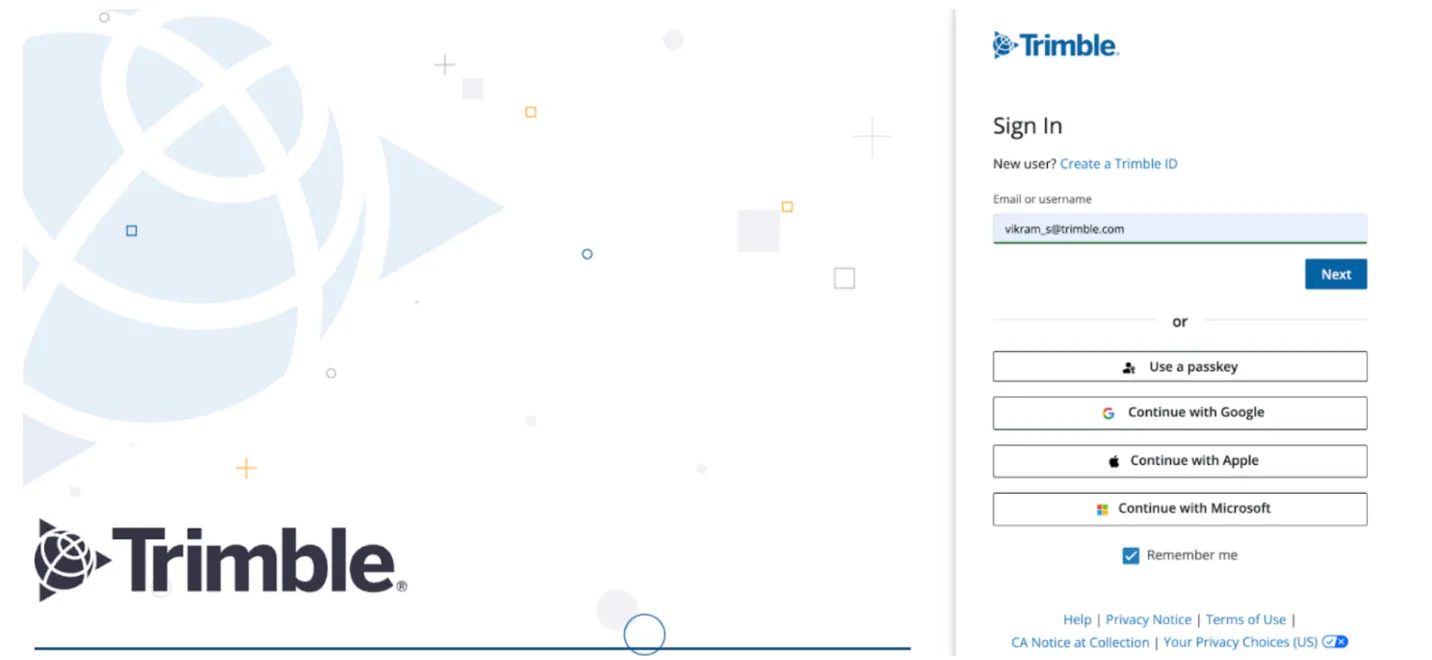
Enter your email address in the Email or username field.
-
Click Next. The My Profile screen is displayed.
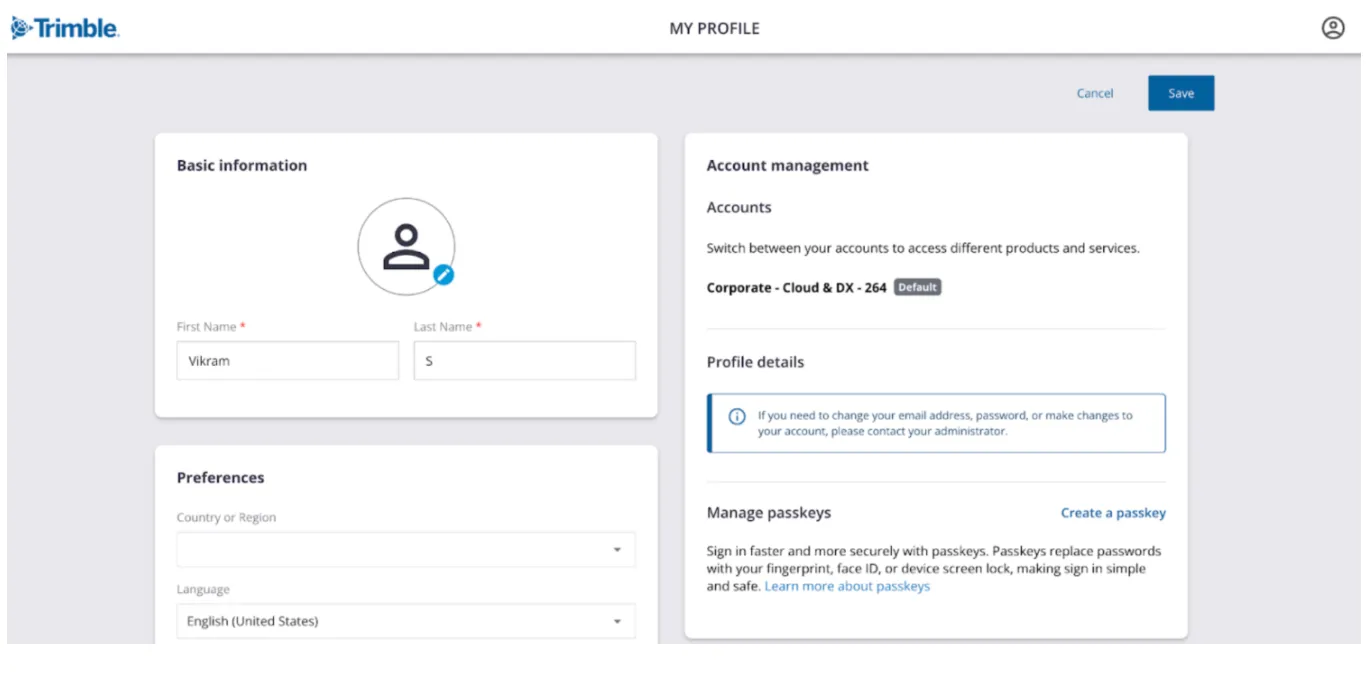
Note: You can update Basic Information, Preferences, Account management, Profile details, and Manage passkeys sections in the My Profile screen.
EMS v4 SKU Setup
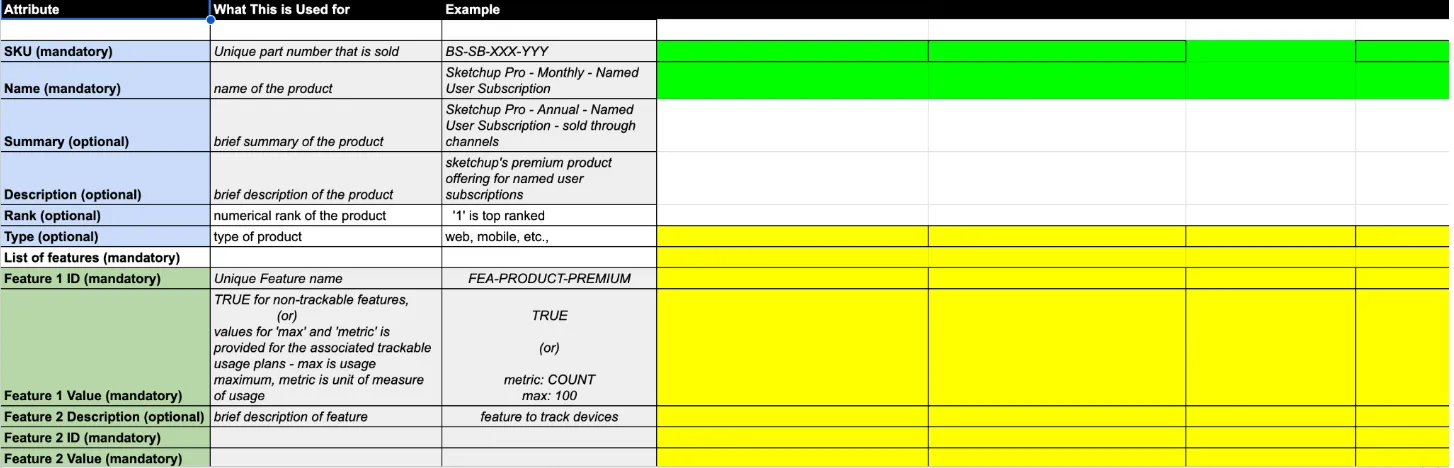
Section titled “EMS v4 SKU Setup”EMSv4 SKU Setup The business that wants to adopt EMS v4, has to first set up their SKUs in EMS v4 and then reach out to the product owner. The product owner will initiate an email to the marketing services team. The business will have to provide the required SKU details and the marketing services team will fill in the required details into the part template. The template will be shared to the EMS team through a MS (Marketing Service) ticket. Based on the part template, the EMS team will configure the SKUs. The necessary permissions for the application IDs provided by the business will be configured for the SKUs.
Liaison Contacts
Section titled “Liaison Contacts”Note: In EMSv4, we use only the Products template and the Bundles template.
Sample Products Template
Sample Bundles Template

MS Ticketing System
Section titled “MS Ticketing System”The Marketing Services team will review the document that has been furnished with the required details to ensure that there are no issues. The MS ticketing process involves the following steps:
-
The MS ticket is submitted to set up SKUs in all environments, including SIT, UAT, and PROD. The ticket is reviewed by the BU Controllers and RevOps team.
-
The PMO schedules a review meeting with BU Controllers and RevOps teams. The RMS team participates in the discussion. Topics such as pricing, promotions, discounts, and other relevant items are reviewed.
-
The RMS team completes the mapping of SKUs to offering types.
-
The RMS and RevOps teams review the offering type mapping. The MS ticket will be updated by both the teams post review.
-
Approvals are obtained from the RMS and RevOps teams.
-
The Marketing Services team will configure the products. For AECO, Chris Biorn will update the pricing for those products. For NGSS, Helen Klagstadd’s Field System Pricing team will update the pricing for those products. Ramya Thangamani from the EMS team will configure the SKUs and attach screenshots to the MS ticket. However, raising invoices is not possible until step 3 is completed by the Integration team.
-
Once the Marketing Services and EMS teams have completed their configuration part respectively, then the Pricing team has to validate the setup and verify if everything works well.
In SIT, UAT, and PROD environments, the Pricing team will raise a test order to validate if the pricing flows to RevHub as intended and the RMS team has to confirm if the test order has reached RevHub correctly.
SKU Revisioning
Section titled “SKU Revisioning”Whenever a SKU offering is modified by the business like adding/removing a feature from a product or adding/removing a product from a bundle - will require SKU revisioning to reflect the changes in the existing entitlements and licenses. The integrators will provide the list of SKU along with the details to modify the SKU. The EMS team will review the details and perform the SKU revisioning.
Perform the following step to modify the SKU configuration:
- For the product SKU configuration, we are currently using this template.
For more information about the SKU revisioning process, click here.
SKU Revisioning Form
Section titled “SKU Revisioning Form”A SKU revisioning form is a structured document that is used to manage changes to the existing product SKUs. When changes are made to a product that affects inventory tracking or fulfillment, the original SKUs are revised rather than replacing them completely.
Please fill out the SKU revisioning formto indicate whether the SKU revision should be reflected in the fulfillment domain.
Role Permissions
Section titled “Role Permissions”Once you subscribe to the Entitlement-v4 product, your initial setup for API access is complete. Authorization is provided at the API level across Entitlement-v4.
To simplify your onboarding, we’re providing information about the roles and their corresponding access levels.
You can review the roles given below and submit the form with your desired permissions along with a brief description of your use case. The EMS team will review and suggest roles for optimization if required.
EMS v4 Entities and Applicable Roles
Section titled “EMS v4 Entities and Applicable Roles”Product
Section titled “Product”| Roles | APIs |
|---|---|
| Owner |
|
| Admin |
|
| Viewer |
|
Bundle
Section titled “Bundle”| Roles | APIs |
|---|---|
| Owner |
|
| Admin |
|
| Viewer |
|
Entitlement
Section titled “Entitlement”| Roles | APIs |
|---|---|
| Owner |
|
| Viewer |
|
License
Section titled “License”| Roles | APIs |
|---|---|
| Owner |
|
| Viewer |
|
Events Notifications
Section titled “Events Notifications”EMS v4 relies on the Trimble Events service, which is used to publish events. A single subscription to this event will return events on 20 entitlement actions, 8 license actions, and 4 contract actions.
Note: EMS events are poll-based events.
Onboarding Your Application to Consume EMS v4 Events
Section titled “Onboarding Your Application to Consume EMS v4 Events”-
Your application must be subscribed to Events Product to consume the events sent by EMS. If you are a first-time subscriber, click here.
-
Upon subscribing to the Trimble Events service, you might need to fill out the Events Service Consumer Onboarding Form to onboard your application to consume EMS events.
Before Going Live
Section titled “Before Going Live”The following aspects have to be taken into consideration before we go-live:
-
If migration is required, the migration pipeline should be ready and integration testing must be completed.
-
Overall SIT and UAT cycles must be completed for capabilities, new sales, and migrated records.
Data Migration
Section titled “Data Migration”Data migration is the process of migrating data from any legacy system to EMS v4. The primary goal of data migration is to move data safely and accurately.
Why Data Migration Is Performed
Section titled “Why Data Migration Is Performed”Data migration is performed for several reasons. Here are some of the quintessential reasons:
-
Upgrading systems or replacing older systems with newer ones
-
Data consolidation
-
Data splitting
-
Business transformation
At Trimble, we have built APIs to efficiently migrate entitlements and licenses from EMS v3 or any other legacy system to EMS v4. All you need to do is write an email to emsadoption@trimble.com providing the necessary information. The EMS team helps migrate the licenses and entitlements that you own.
Note:
- EMS Migration supports only Application tokens for authorization.
- For subscribing to EMS Migration products in the cloud console, you can either use specific URLs of staging and production environments or you can get in touch with the EMS team.
Types of Data Migration
Section titled “Types of Data Migration”| Legacy System | New System | Entitlement Migration | License Migration | Expiration |
|---|---|---|---|---|
| Any Legacy | EMS v4 | Yes | Yes | No |
| EMS v3 | EMS v4 | Yes | Yes | Yes |
| EMS v4 | EMS v4 | Yes | Yes | Yes |
| Manual | EMS v4 | Yes | Yes | No |
Routes to Market (RTM) Channels
Section titled “Routes to Market (RTM) Channels”| RTM Channel | Description |
|---|---|
| DvR (Direct - rep assisted motion through Salesforce) |
|
| DvW (Direct - through self-serve e-Commerce) |
|
| NGSS (Indirect - through dealers/channel partners) |
|
Products Integration/Testing
Section titled “Products Integration/Testing”The product team will integrate our APIs and roles with their application. When an order is placed from upstream and a license is assigned in EMS, the product team will confirm if they are able to use the product with the license that has been assigned.
The product team will be able to access all the features in their products. Also, a sign-off should be provided from their end, indicating that they are able to access their licenses and features.
Configurations and Performance Needs
Section titled “Configurations and Performance Needs”Configurations
Section titled “Configurations”The Entitlement Management System (EMS) employs a serverless, cloud-native architecture. It achieves high throughput and low latency by using the Command Query Responsibility Segregation (CQRS) pattern with an event driven approach.
Performance
Section titled “Performance”-
EMS has to support high throughput and low latency to ensure a seamless user experience.
-
EMS ensures eventual consistency under a second and follows the Command Query Responsibility Segregation (CQRS) pattern for reads and writes.
-
Various EMS domain APIs have been benchmarked for performance as follows:
Domain APIs Transactions Per Second (TPS) Fulfillment APIs 300 Entitlement Read APIs 500 License Management APIs 250 License Enforcement APIs 3000
Performance Testing
Section titled “Performance Testing”The EMS application has to be optimized for both functional and non-functional requirements. The non-functional requirements will be assessed by performance testing. The performance testing will happen when:
-
A new application is created.
-
New APIs are developed.
-
Major changes are made to existing APIs.
Performance testing will be executed on a regular basis and the results will be captured for future reference. The QA team will test the identified performance enhancements (either in application code or infrastructure) before deploying them to the pre-production and production environments.
API Versioning
Section titled “API Versioning”API versioning is the practice of effectively managing changes to an API that ensures existing integrations continue to work efficiently while allowing new features to be introduced with utmost ease. It is a quintessential component of API lifecycle management, ensuring applications run efficiently without any disruptions.
When to Move to a New Version
Section titled “When to Move to a New Version”You should increment the version if:
-
You rename or remove a resource or field.
-
You change the data format, for example from XML to JSON.
-
You change the logic of an endpoint, for example changing a status code from
200 OKto201 Created.
Product Catalog Service UI (Upcoming)
Section titled “Product Catalog Service UI (Upcoming)”As part of an earlier initiative, the provisioning domain of EMS v4 was separated into Product Catalog Service (PCS). In the next stage of our journey, we are working on developing a UI portal to accommodate different integrators to view and manage the provisioning domain objects namely Service, Feature, Product, and Bundle.
For more information about the API specifications of Product Catalog Service v1.0, click here.
Transition Layer
Section titled “Transition Layer”The transition layer enables businesses to view licenses from EMS v3 and EMS v4 as well, which would make adoption a hassle-free affair. The Transition Layer v3 primarily supports EMS v3 integrators to view licenses of EMS v4 in EMS v3 response format. The Transition Layer v4 primarily supports EMS v4 integrators to view licenses of EMS v3 in EMS v4 response format.
For more information about the API specifications of Transition Layer v4.1, click here.
Note: The users will be able to seamlessly read the licenses using the transition layer.
After Going Live
Section titled “After Going Live”The following aspects have to be taken care of after we go-live:
-
Smoke test will be performed for the selected accounts.
-
Hypercare window must be supported for a minimum of two weeks.
Post Adoption Support
Section titled “Post Adoption Support”Support Portal (Coming Soon)
Section titled “Support Portal (Coming Soon)”We are building a support portal that provides visibility on EMSv4 entities - entitlements and licenses and SKUs - check back to this section for updates.
Adoption Support
Section titled “Adoption Support”If you have questions about creating an application, subscribing to EMS v4, or accessing APIs, please write an email to emsadoption@trimble.com. The EMS team will help you through the adoption process.
Production Support
Section titled “Production Support”If you face issues during production, you can write an email to ems_support@trimble.com. We use JSM to handle issues that you report in the PROD environment. We offer L1 and L2 support across all timezones through AppOps. The EMS Engineering team will handle L3 support tickets.
Availability Monitoring Support
Section titled “Availability Monitoring Support”If you have questions about availability of EMSv4 services - this is hosted under the status page accessible at: https://status.bsys.trimble.com/ - Interested members can subscribe to receive periodic maintenance, availability, and service degradation updates.