
1\. Introduction
1. Introduction
Section titled “1. Introduction”This document details the onboarding process for Microsoft Purview, guiding teams on how to access and utilize its features for Data Cataloging.
Purview provides a unified platform for discovering, classifying, and managing data across on-premises, multi-cloud, and SaaS environments. The following sections will detail Purview’s key concepts and how to use it for data asset discovery (consumer).
2. How to Access Microsoft Purview
Section titled “2. How to Access Microsoft Purview”To access Purview, please use the following credentials:
URL: https://purview.microsoft.com/
Example Username: nbala@am.trimblecorp.net
Password: Your Windows network password
Upon successful login, you will be greeted by a “Welcome to the Microsoft Purview portal” message.
Should you encounter any difficulties accessing the portal, please contact us by submitting a Support Request.select BI/Datawarehouse for application and Microsoft Purview for Module.
3. Purview Components:
Section titled “3. Purview Components:”In Microsoft Purview, Data Assets are logically grouped and presented to consumers as Data Products. A Data Product comprises a collection of logical data assets, encompassing tables, files, and reports, meticulously designed for a specific use case and made available for other users.
Purview Components: Microsoft Purview comprises two principal components for data cataloging, which function cohesively to offer a comprehensive overview and management of an organization’s data.
- Unified Catalog is a centralized, searchable catalog of all data assets and their metadata.
- Data Map is a tool for capturing metadata about data assets from various sources.Data Map is primarily used by the Data Producers to register, Scan and Curate Data Assets.
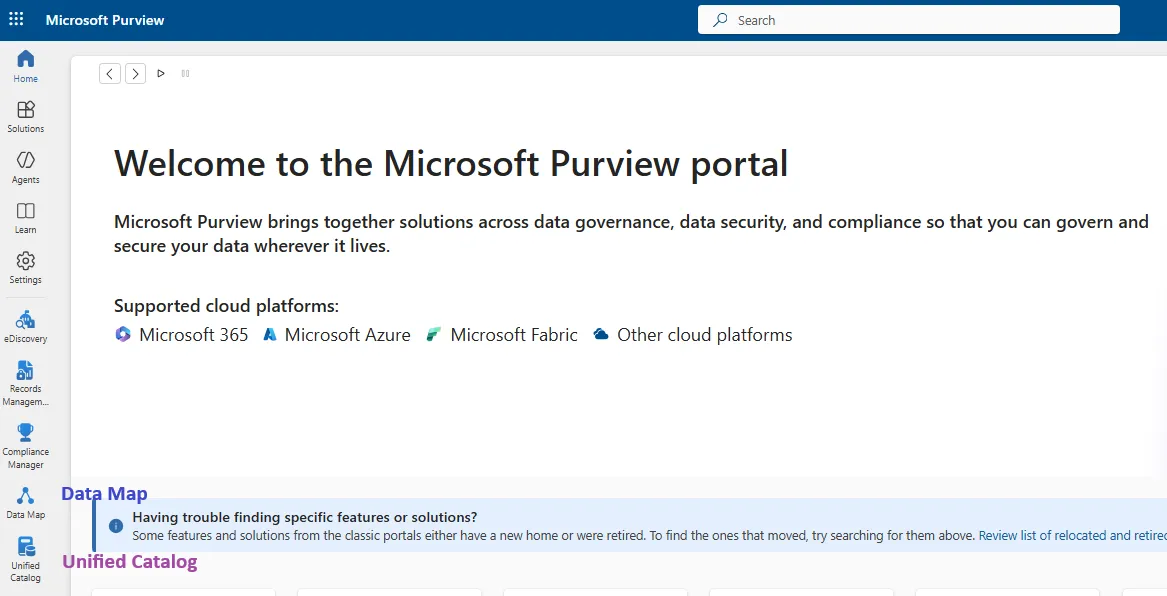
4. Unified Catalog- Discovery/Search functionality
Section titled “4. Unified Catalog- Discovery/Search functionality”Microsoft Purview Unified Catalog serves as a central, searchable catalog for all data assets and their metadata, built upon the Data Map. It offers a user-friendly interface for data consumers to easily locate, comprehend, and utilize data, allowing discovery of Data Products, Data Assets, and Enterprise Glossary within the Microsoft Purview Data Catalog by either:
- Browsing the Unified data catalog
- Searching the Unified data catalog
a. Discovering Data Products:
Section titled “a. Discovering Data Products:”- Open the Microsoft Purview portal and navigate to the Unified Catalog.
- Choose “Discovery” and then “Data products”.
- Search: Enter keywords related to the data product you’re looking for (e.g., “Account,” “Order”) and search for the associated data products
- Browse: If you know the governance domain, browse through the available data products using the option “Explore Data Products by Governance Domain”.
- Select a data product name to see its details, including assets, descriptions, and other relevant information.
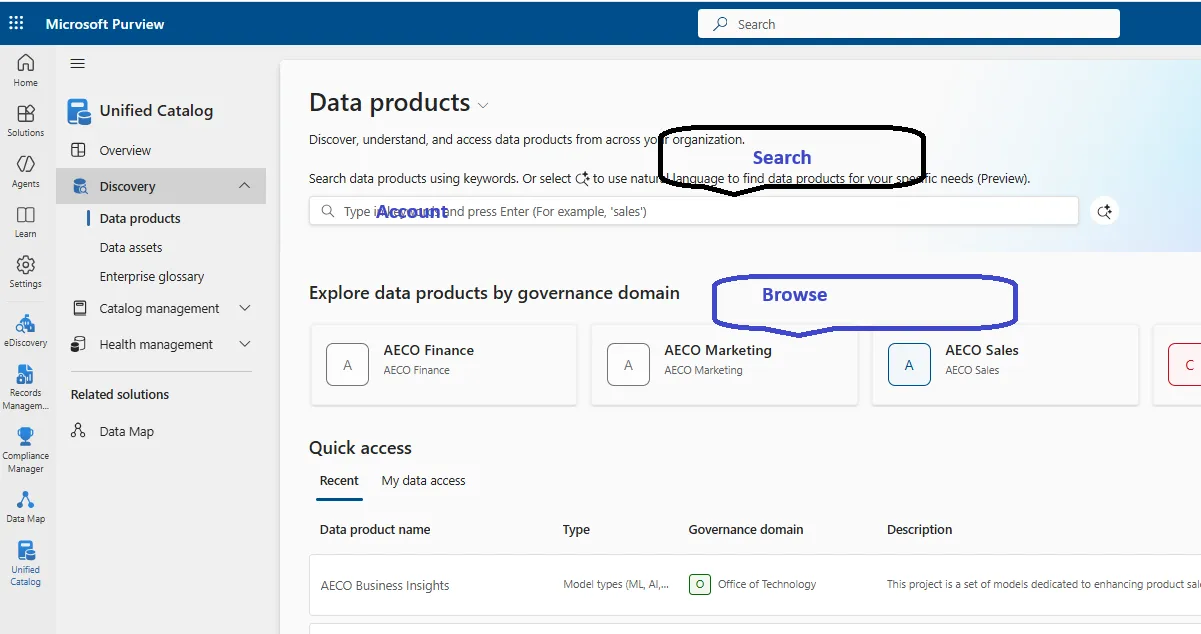
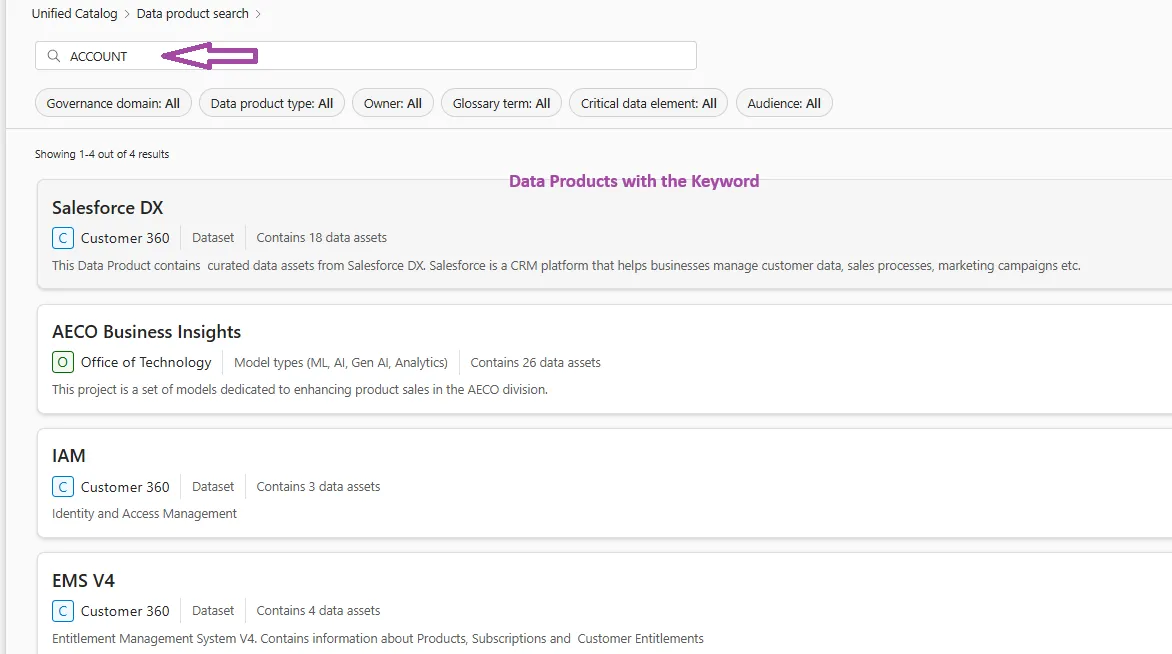
Here’s a screenshot showing the results when we searched for “Account.”
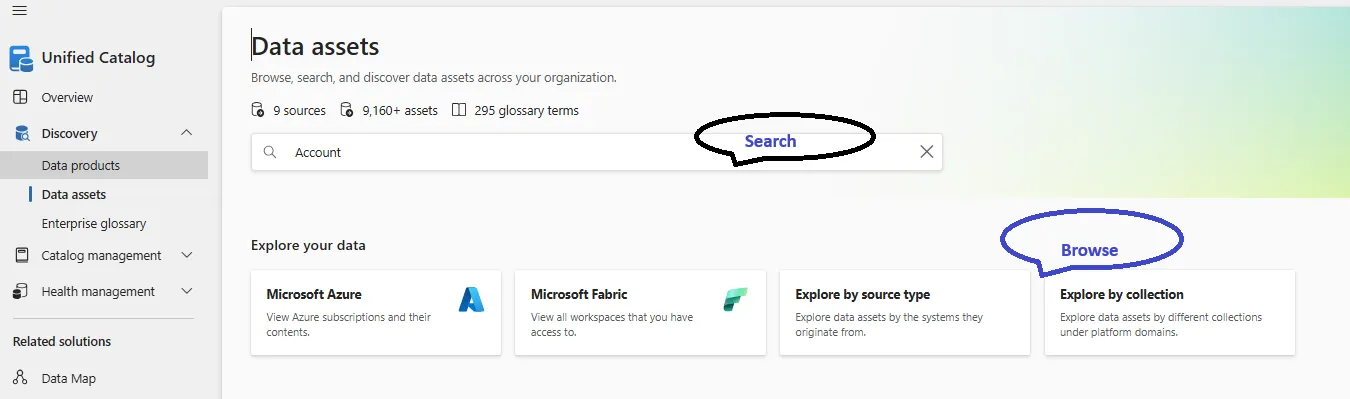
b. Discovering Data Assets:
Section titled “b. Discovering Data Assets:”- Access Unified Catalog: Open the Microsoft Purview portal and navigate to the Unified Catalog.
- Choose “Discovery” and then “Data assets”.
- Search: Use the search bar to find assets by name, data type, classifications, and glossary terms.
- Browse: Navigate through data sources and schemas to explore available assets.
- Select an asset to see its details, including its source, format, classifications, and associated glossary terms
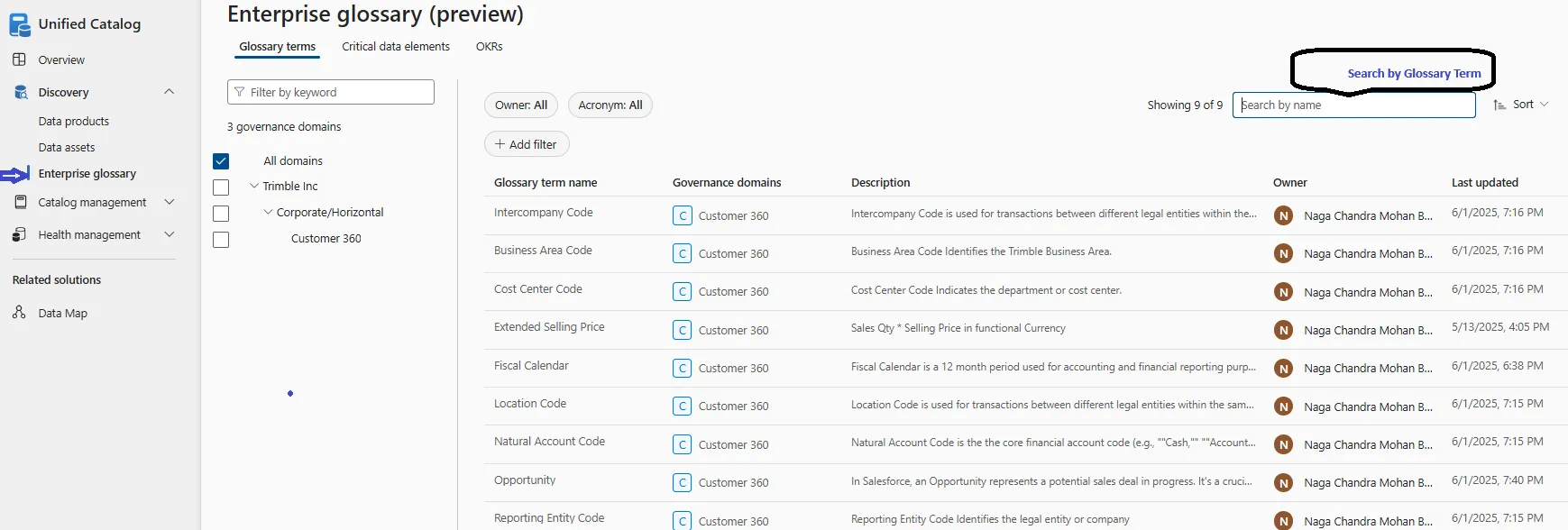
C. Discovering By Enterprise Glossary:
Section titled “C. Discovering By Enterprise Glossary:”To discover the enterprise glossary in the Microsoft Purview Unified Catalog,
- Navigate to the Unified Catalog,
- select “Enterprise glossary” under “Discovery”.
- Explore governance domains, glossary terms, critical data elements, or OKRs. You can also search for specific concepts using the search bar.
5. What is a Data Product
Section titled “5. What is a Data Product”A data product is a logical grouping of curated, reusable, and consumable data assets designed to solve a specific business problem or deliver insights.
Data products are purpose-built to address specific business problems, reusable across multiple contexts, self-contained with components like metadata, documentation, access controls to be easily understood and ready for consumption
A data product has measurable value. It has an owner who is responsible for delivering value throughout the product’s lifecycle from design to retirement. Data Tables, Pipelines, Dashboards, Reports and ML Learning Models are some of the examples of the Data Products.
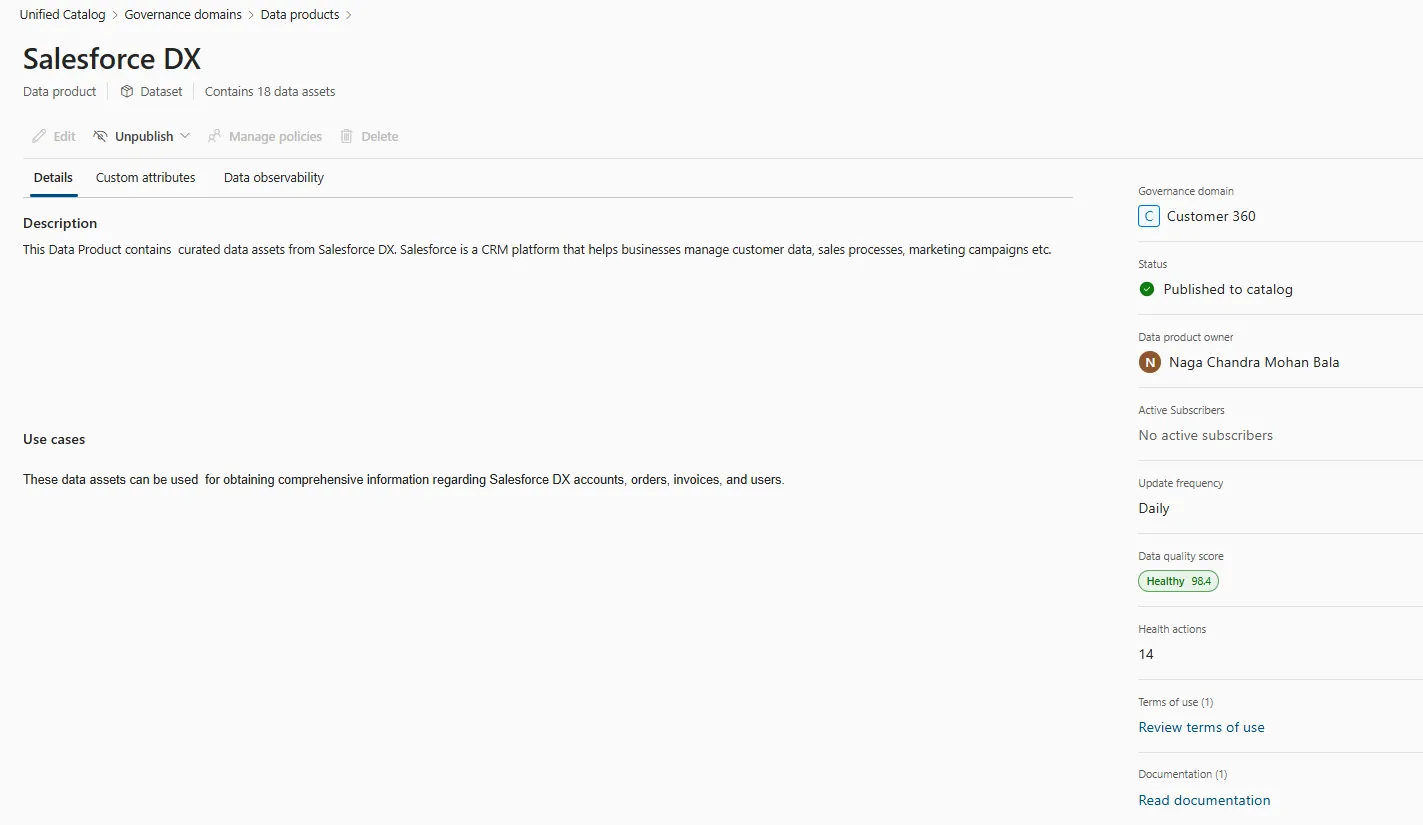
The screenshot below displays the general details of the Data Product, including, but not limited to, owner, status, refresh frequency, documentation, and health score.
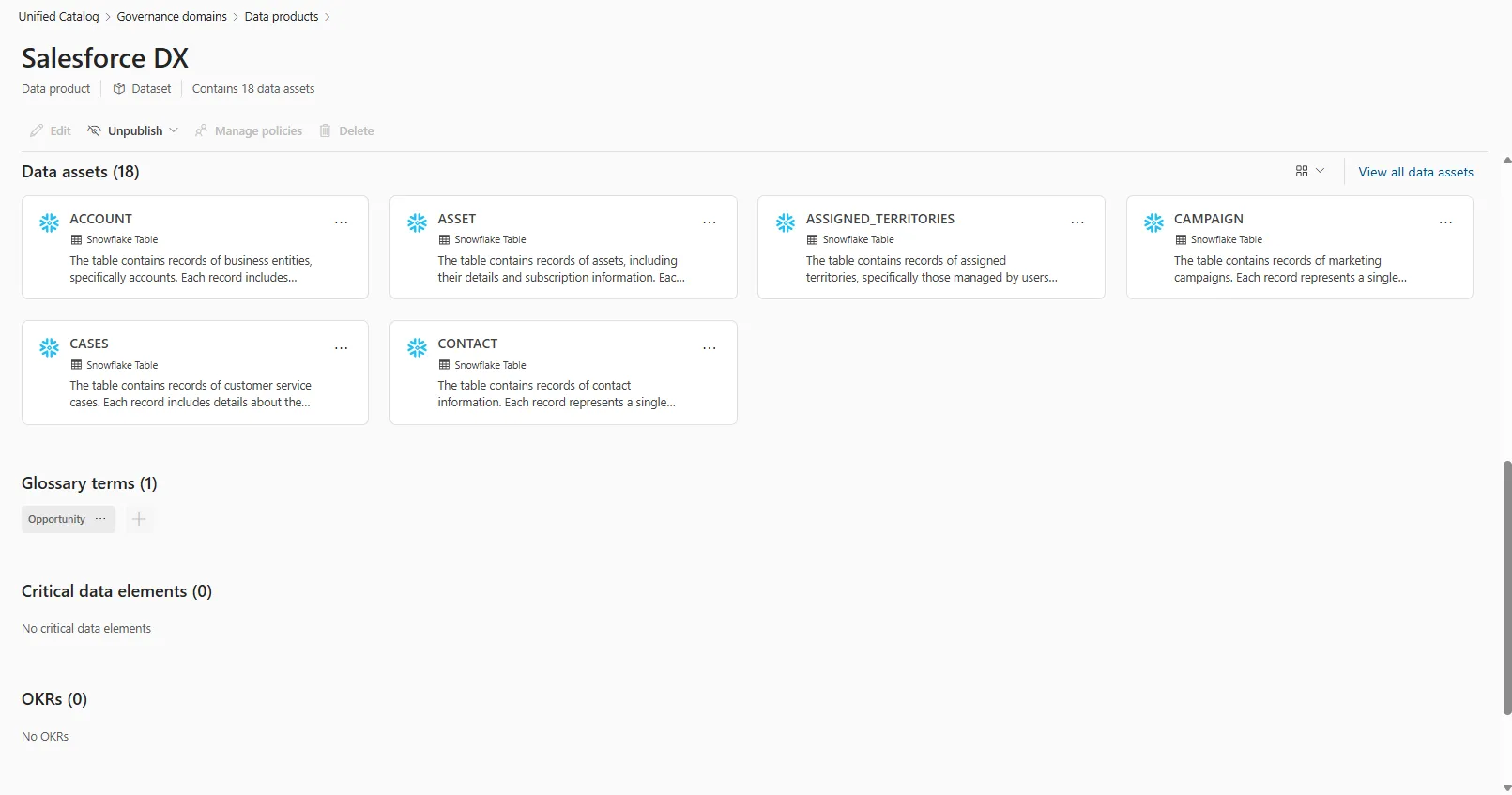
The accompanying screenshot displays the asset details of the Data Product.
6. Governance Domains
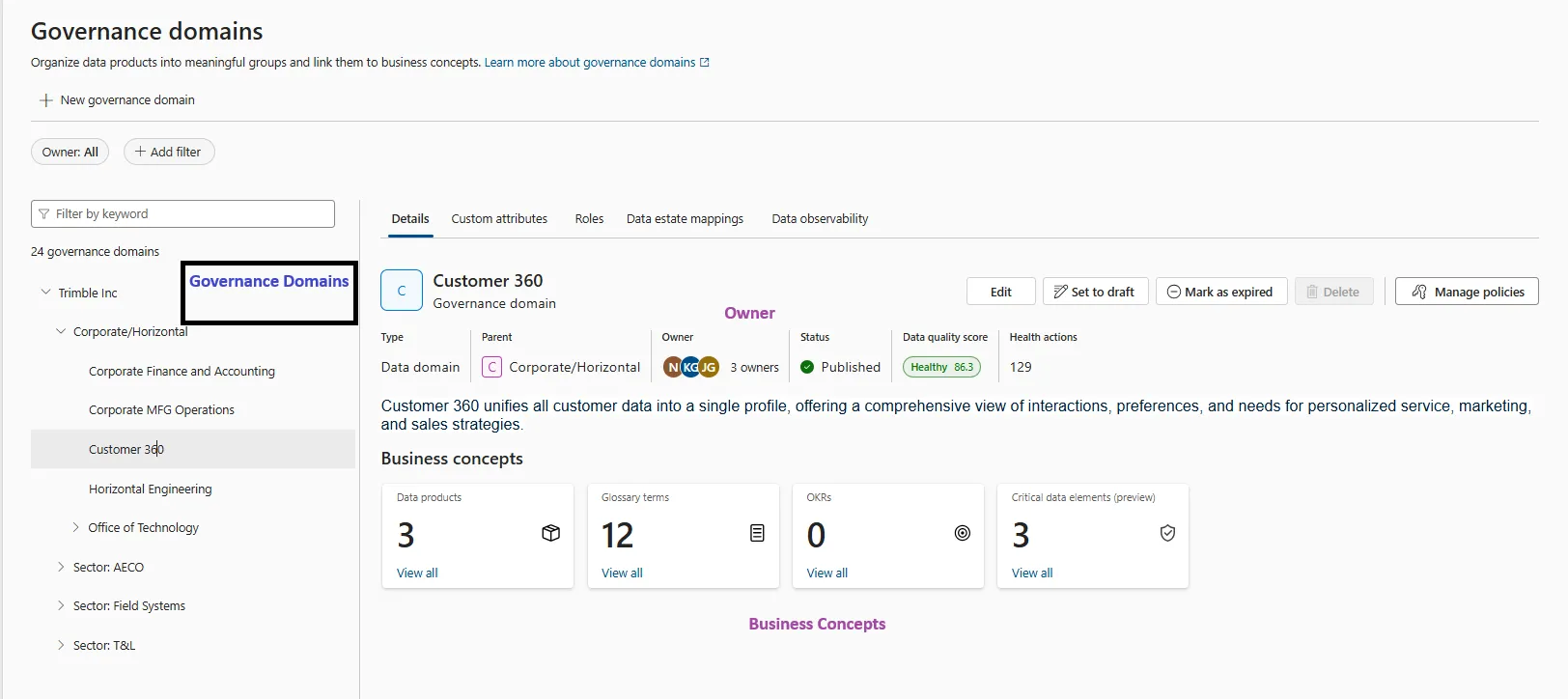
Section titled “6. Governance Domains”Governance Domains Organize data products into meaningful groups and link them to business concepts. Governance Domains are defined based on the current Trimble Business structure..
A governance domain has a name and a description, so users can quickly understand what parts of your organization the governance domain represents. A governance domain also has owners who govern and maintain the governance domain and the data assets it represents.
Governance domains also contain the following business concepts:
- Data products: Kits of data assets, a packaged offering to an enterprise that groups data assets (tables, files, reports) into a single product for users to discover and employ.
- Glossary terms: Active values that provide context, apply policies, and determine data management, governance, and discoverability.
- Objectives and key results (OKRs): Metrics that describe the value of your data with measurable values and goals.
- Critical data elements (preview): A logical grouping of columns across tables that are necessary for decision making and need to be governed with the highest importance. For example: The “Customer ID” critical data element can map “CustID” from one table and “CID” from another table into the same logical container.
7. Data Asset Details
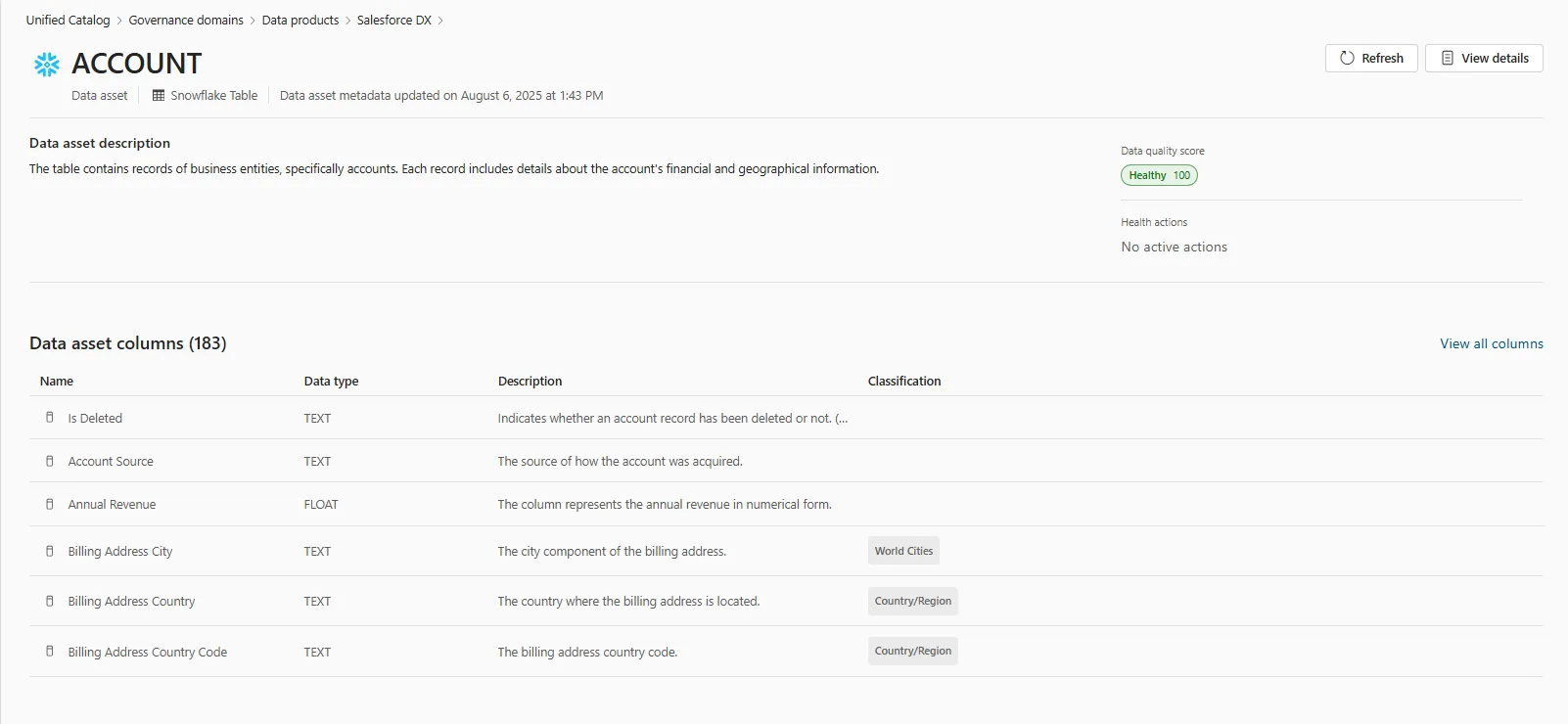
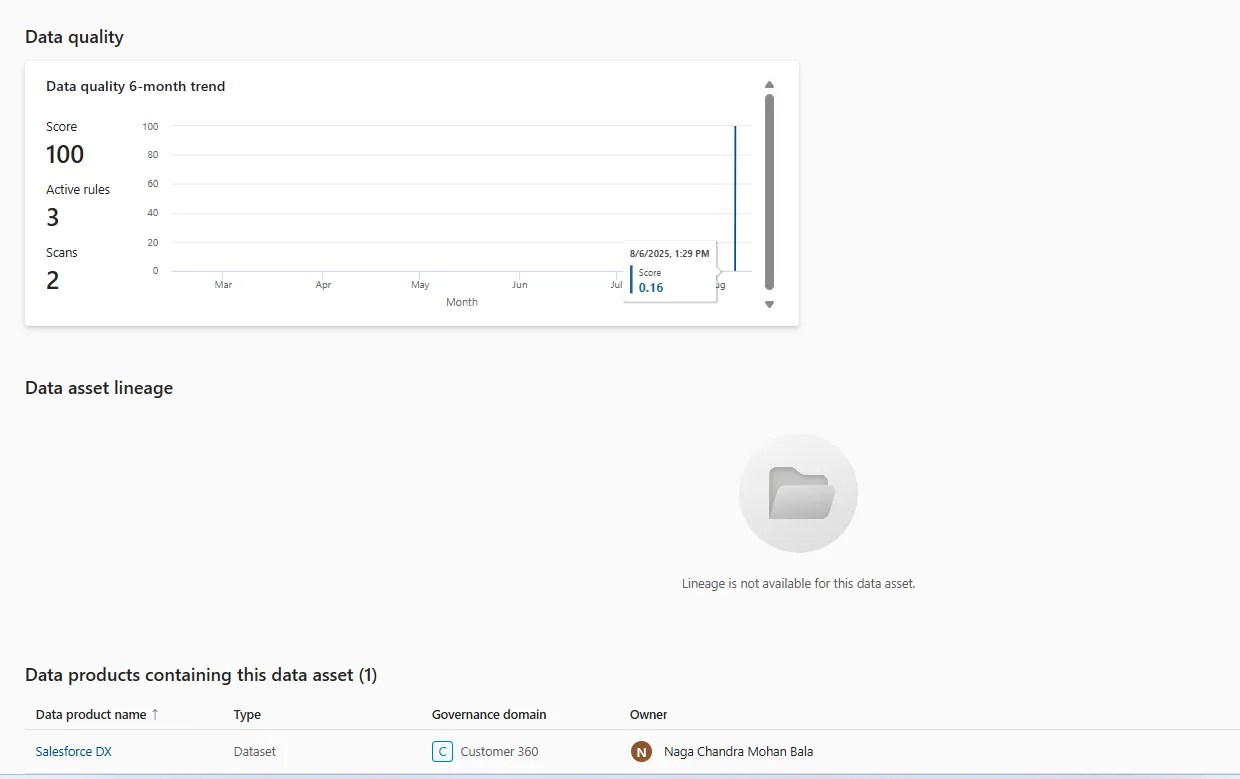
Section titled “7. Data Asset Details”Within Microsoft Purview, a data asset signifies a discrete unit of information within a data landscape, representing metadata that describes the actual data rather than the data itself.
The subsequent section provides an illustrative depiction of a data asset derived from a Snowflake database table. This asset encompasses details such as schema, column data types and descriptions, data lineage, quality metrics, and the products currently utilizing this data asset.
8. Additional Questions?
Section titled “8. Additional Questions?”For further inquiries regarding the Purview Data Catalog and its usage, please submit a Jira ticket, selecting “BI/Datawarehouse” as the application and ’Microsoft Purview” as the Module.