How to access EDW data
Consumption Workflows
Section titled “Consumption Workflows”Enterprise Data Warehouse data is accessible through three different workflows:
- BI Tools like Domo for dashboards and data visualization
- The majority of data access will occur through Domo
- Snowflake Shares
- Snowflake is a broadly used data platform in Trimble. Shares allow EDW data to be shared to another Trimble Snowflake Account
- SQL Queries
- A read-only role will be provisioned in EDW Snowflake account. If you are new to Snowflake and choose this consumption method, check out our Snowflake startup document.
How can I get access to the Enterprise Data Warehouse?
Section titled “How can I get access to the Enterprise Data Warehouse?”Trimble is investing in establishing data governance and data stewardship rules, but these efforts are not mature enough to automate access control to the EDW data. In the meantime, manual access will be provisioned using the below workflow:
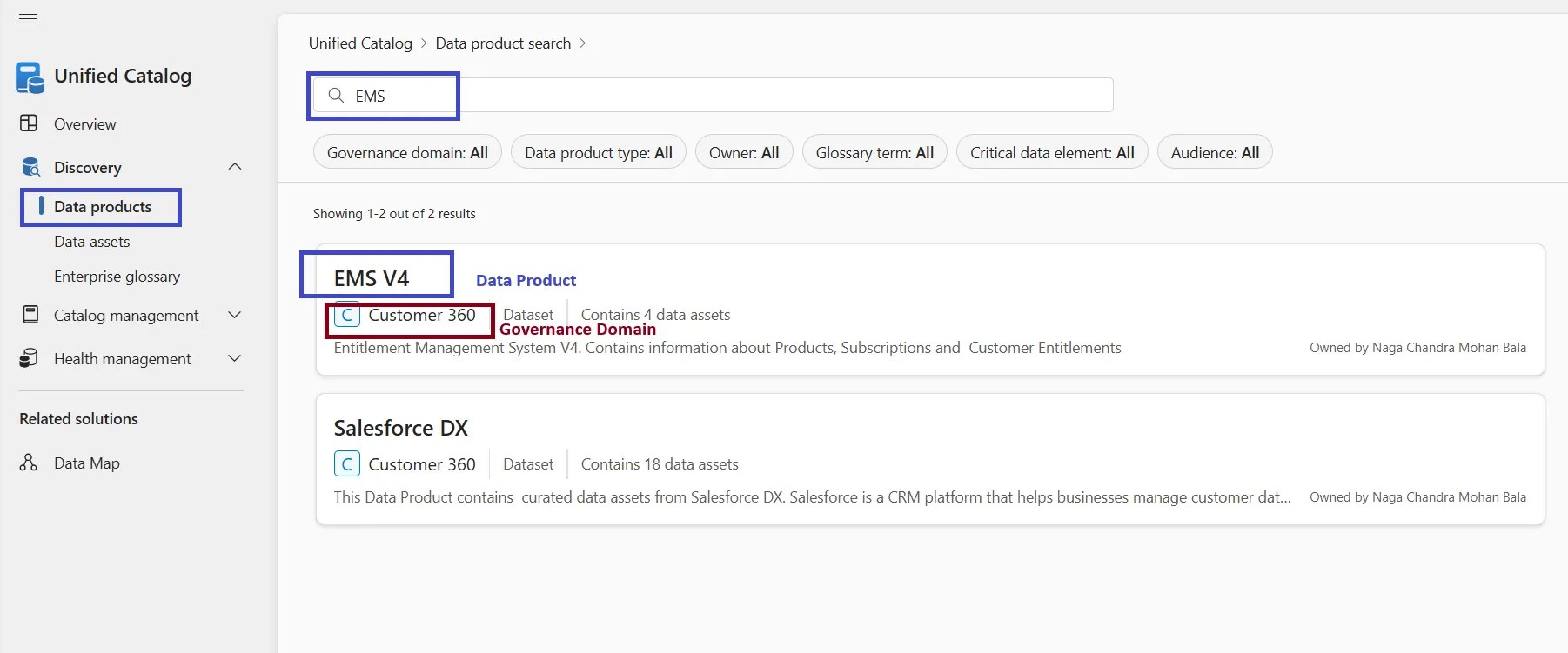
Trimble employees can search the available data assets in Microsoft Purview Data Catalog. Using Unified Catalog’s discovery functionality, search for the Keyword you are looking for by using either the Data Products or Data Assets option. The search should return a list of Data Products or Assets as shown below.
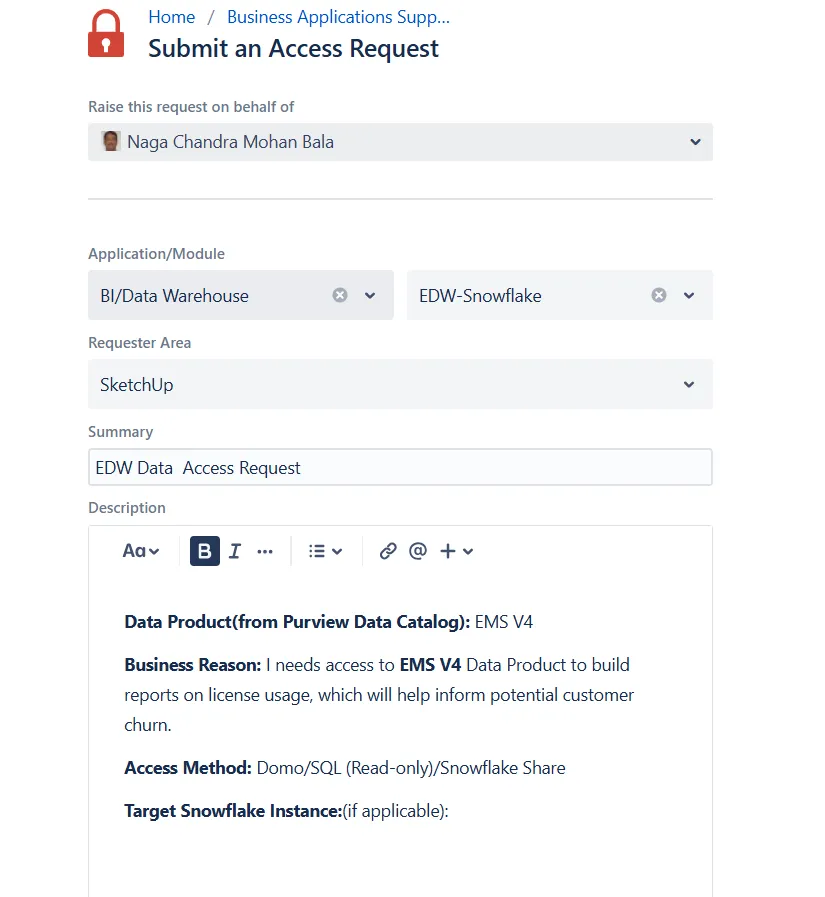
When you’ve found data you would like to request access to, please submit a request here and include the following information:
- Data Product Name (from Data Catalog):
- Business Reason:
- Access Method (choose one): Domo/SQL/Snowflake Share
- Target Snowflake Instance (If applicable):
Note: There may be different access request steps for non-EDW datasets in Data Catalog.