
Enforce API subscription approval workflow
Trimble Cloud Console can require administrator review before an application subscribes to a Product. Products that require approval use the Closed subscription approval flow.
You can set this while:
- Creating a Product, or
- Editing a Product
Set Closed approval when creating a Product
Section titled “Set Closed approval when creating a Product”- From the left menu, select Products.
- Select + Add New Product.
- In Subscription Approval Flow, choose:
- Open: Any application that can view the Product can subscribe without review.
- Closed: Team administrators review each subscription request and can approve or deny it with a reason.
- Complete the remaining Product fields and create the Product.
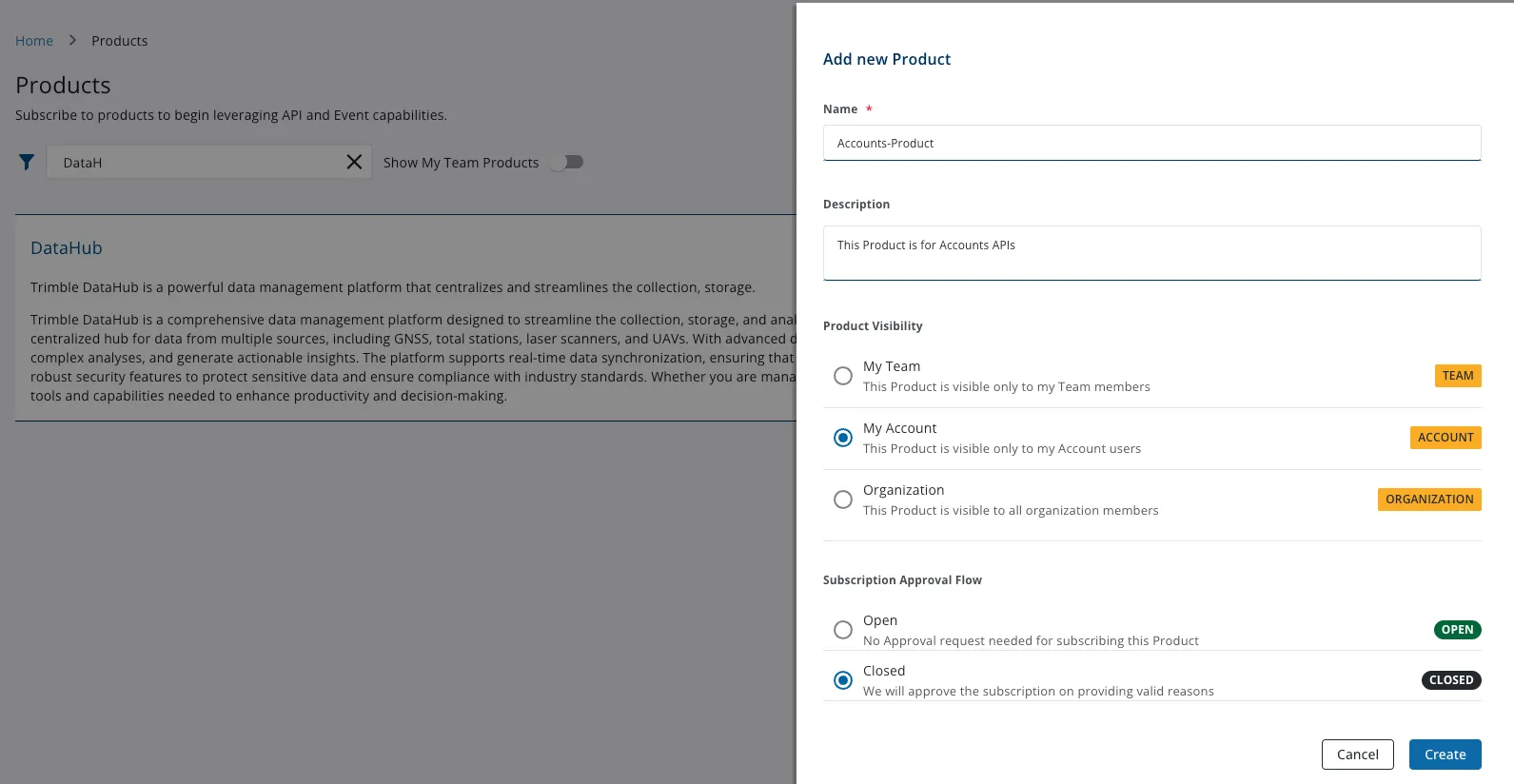
For field details, see Create Products.
Change approval on an existing Product
Section titled “Change approval on an existing Product”- From the left menu, select Products and open the Product.
- Select Edit Product.
- Update Subscription Approval Flow to Open or Closed based on the Permission Matrix.
- Save the Product.
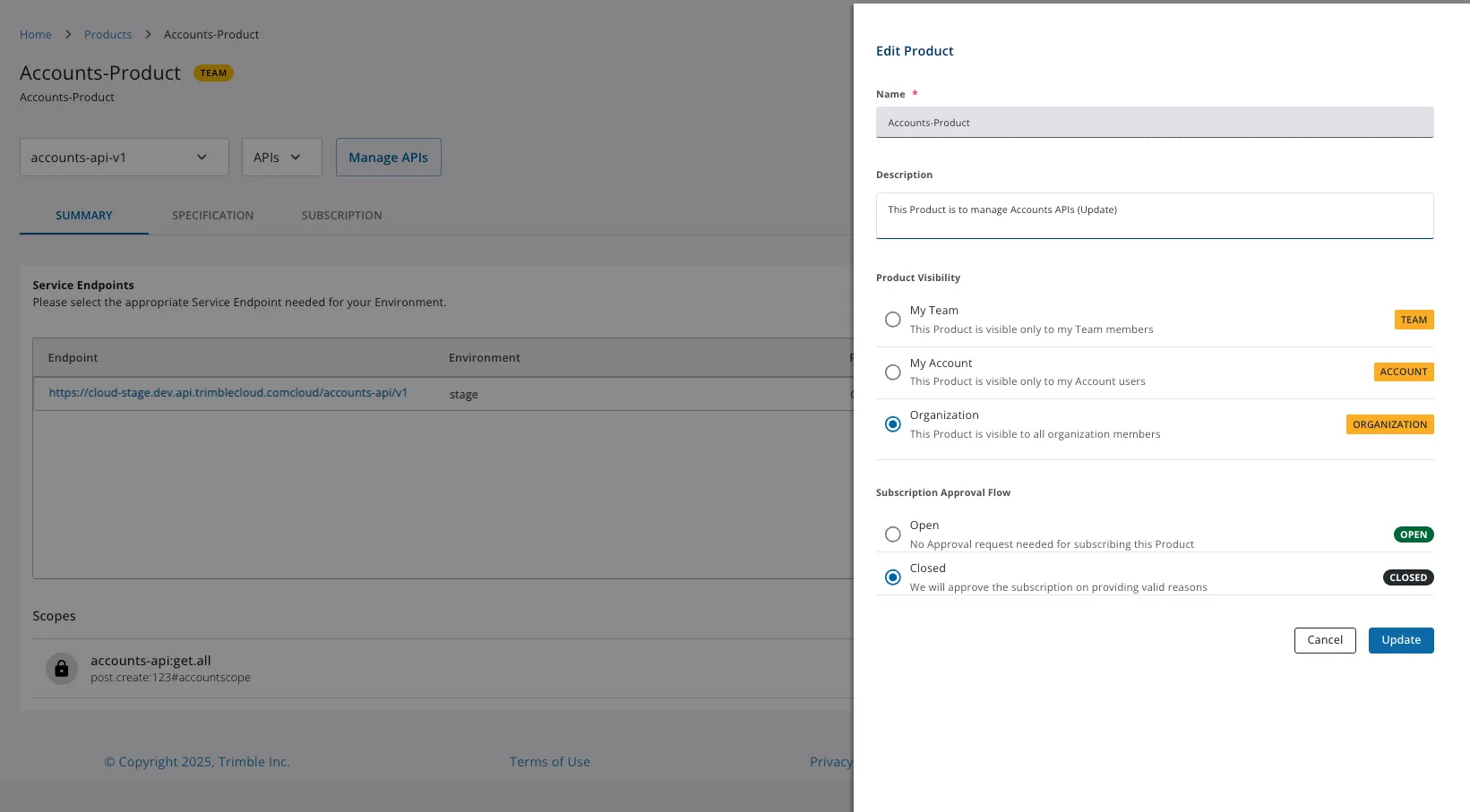
Administrators review Closed Product requests in Notifications. See Approve or Reject API Subscription requests.