
Approve or reject API subscription request
When a Product uses the Closed subscription approval flow, administrators review each request in Notifications before the consumer application can access the Product.
To approve or deny API subscription requests based on the Permission Matrix:
- From the left menu, select Notifications.
- Open the Subscription Request accordion. Pending requests list the requester email, application name, and Product.
- Empty state: No pending approvals.
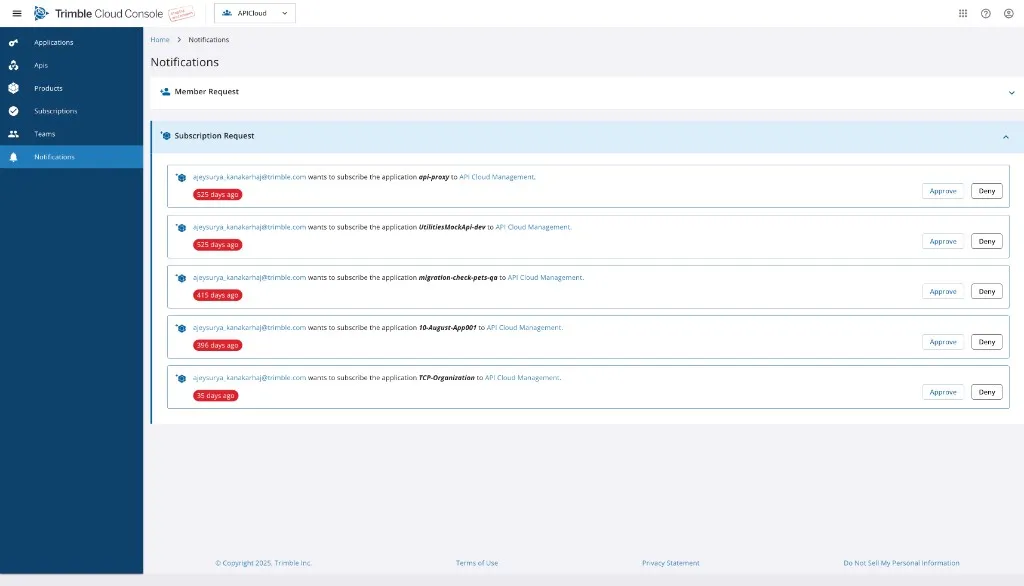
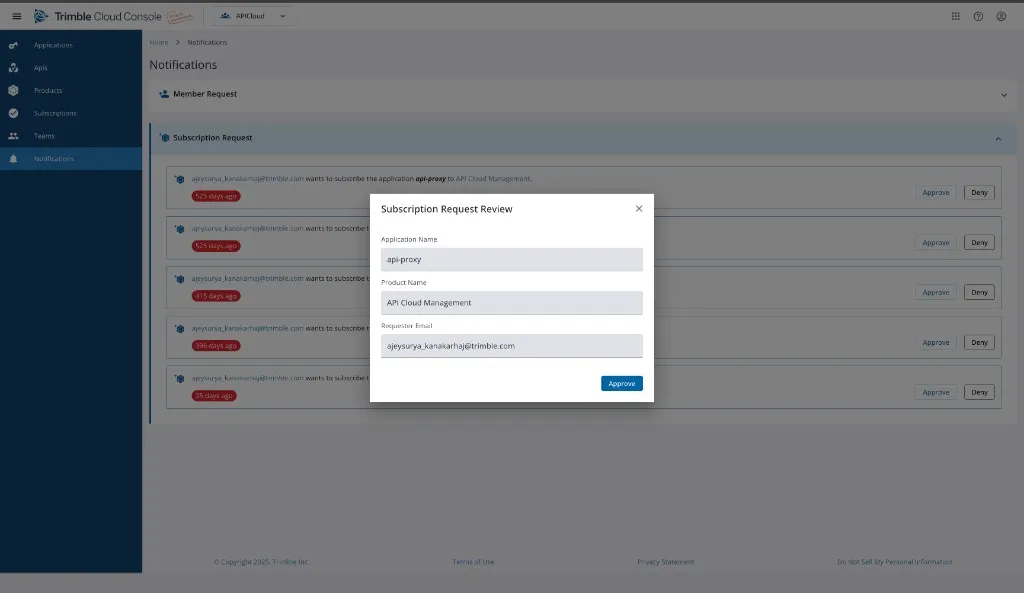
- To approve, select Approve. The Subscription Request Review dialog shows Application Name, Product Name, and Requester Email. Select Approve. The success message is Given Application is now subscribed to the product.
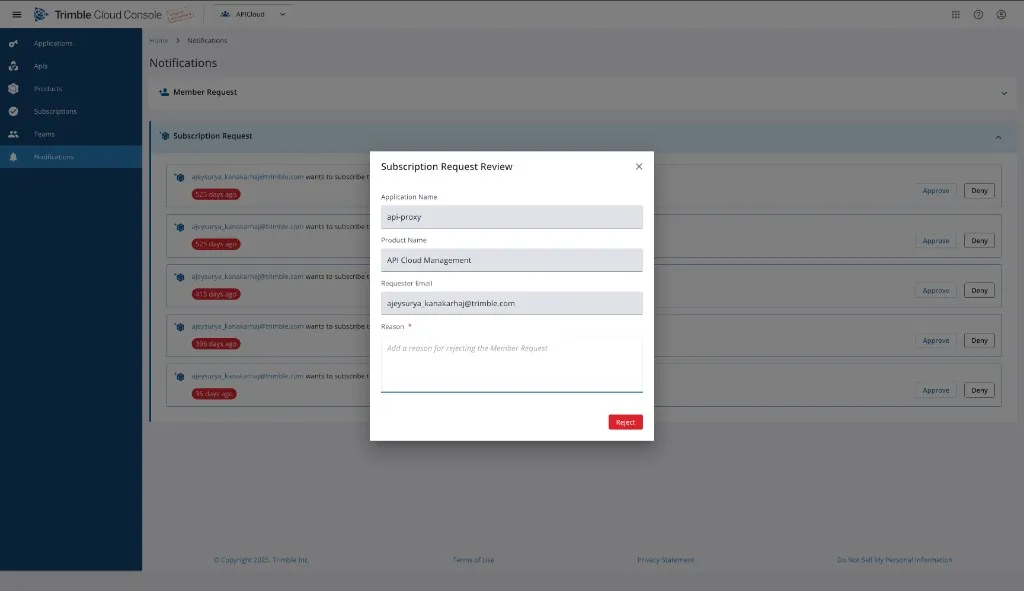
- To deny, select Deny. The Subscription Request Review dialog includes a required Reason field (maximum 500 characters). Select Reject. The success message is Have removed this request.
Team join requests appear in the Member Request accordion on the same page. For joining a team, see Manage Teams.